
POS Printer Price in Bangladesh – Thermal Receipt Printers
Explore thermal POS printers at Techland BD for retail shops, restaurants, supermarkets, pharmacies, and other businesses. Compare available models by print speed, paper width, printing resolution, connectivity, and compatibility with your POS system. Check the specifications of each printer to find a suitable option for your business operations.
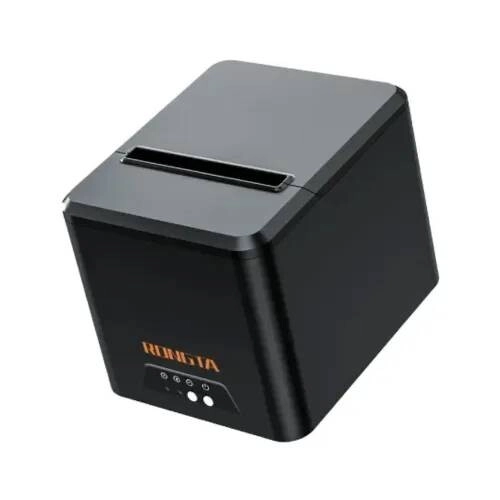
Rongta RP335-U Thermal Receipt Printer
- Thermal Transfer Printing
- 203 DPI Resolution, 100 KM Print Life
- Max Printing Speed: 250 mm/
- USB Interface with Ring Light Alarm
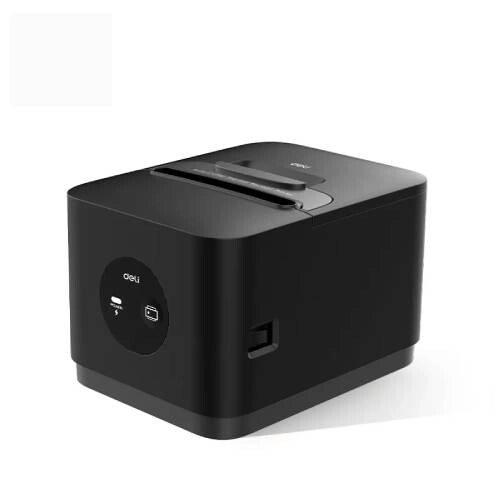
Deli ES380PN 3-inch Thermal Receipt Printer
- Maximum Print Width: 72mm
- Maximum Print Speed: 200mm/s
- Print Resolution: 203 DPI
- Interface: USB, Cash Drawer, LAN
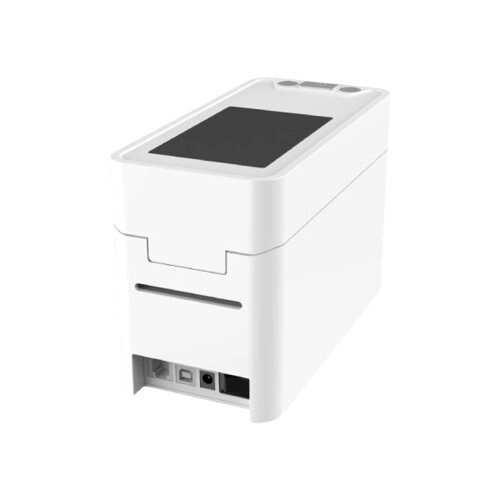
RONGTA RPW210-UE WRISTBAND BARCODE LABEL POS PRINTER
- Printing metho - Thermal
- Resolution - 203dpi
- Print width - 2.2''(56mm)
- Printing speed - 6 ips(150mm/s)
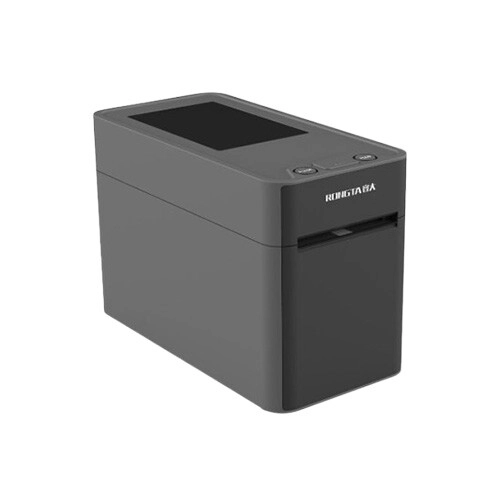
RONGTA RP215-U WRISTBAND BARCODE LABEL POS PRINTER
- Printing method - Thermal
- Resolution - 203dpi
- Print width - 2.2''(56mm)
- Printing speed - 6 ips(150mm/s)
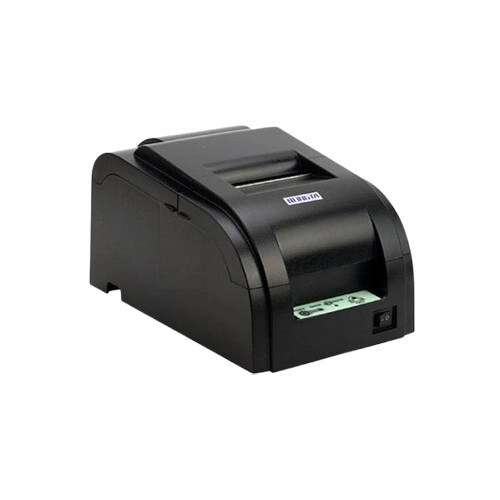
Rongta RP76IIDC-USE Impact Dot Matrix Receipt Printer
- Printing Speed -
- 4.4lines/sec
- Paper width - 76±0.5 mm
- Resolution - 169dpi
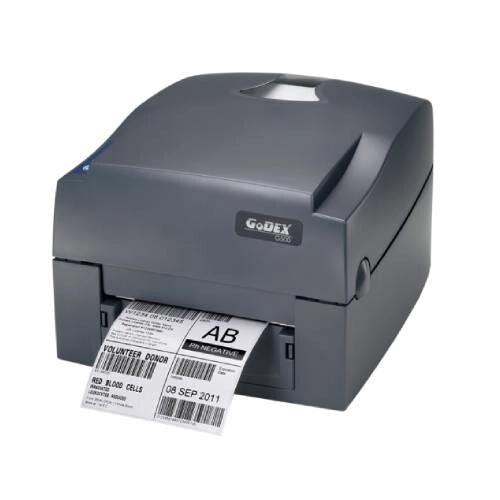
GoDEX G530 Thermal Transfer Label Printer
- Print Method: Thermal Transfer / Direct Thermal
- Resolution: 300 DPI (12 dots/mm)
- Print Speed: 5 IPS (127 mm/s)
- Memory: 16MB SDRAM + 8MB Flash (4MB User Storage)

Rongta RPP02D 58mm Portable Thermal Receipt Printer
- Compact 58mm portable thermal printer
- Fast wireless Bluetooth connectivity
- Direct thermal printing with no ink required
- Rechargeable battery for mobile printing

Xprinter XP K200L-U Thermal POS Receipt Printer USB
- Type - Thermal Printer
- Print Speed - 230 mm/sec
- Print Width - 72mm
- Print Resolution (Pixel) - 203 dpi

Xprinter XP-Q807k Thermal Receipt Printer
- Printing speed:230mm/s
- Interface: USB/USB+Lan
- Paper width:80mm
- Printing Width:72mm

Xprinter XP-410B Portable Barcode Label Printer
- Resolution: 203 DPI
- Max. print Speed: 152 Mm (6") / S Max.
- Connectivity: USB/LAN/WIFI/Bluetooth/TF card
- Processor: 32-bit CPU

Epson TM-U220IIB Dot Matrix Receipt POS Printer
- Dot Density:180 dpi x 180 dpi
- Interface: USB, LAN
- Printer Mechanism Life:7.5 million
- Printing Speed: 4.7 ips

Citizen CL-E321XUBNNA Barcode Label Printer
- Printing Technology: Thermal Transfer + Direct Thermal
- Resolution: 203 dpi
- Interface: Triple interface USB 2.0
- Print Speed: 8 inches per second

Citizen CT-D150 Thermal Receipt POS Printer
- Printing Speed: 250 mm/sec
- Printing Resolution: 203 dpi
- Interface Type: USB, LAN
- Features: Auto-Cutter, Long Life Print

G&G TD430U 8 MB SDRAM Desktop Thermal Printer
- Connectivity: USB
- Printing Speed: 152mm/s
- Resolution: 203dpi
- Paper Width: 20-118 mm

G&G TD80UE Desktop 203dpi Thermal Label Printer
- Connectivity: USB+ Ethernet, IP54
- Paper Width: 58mm & 80mm
- Printing Speed: 250mm/s
- Resolution: 203dpi

G&G TD80U 203 DPI Desktop Thermal Label Printer
- Printing method: Direct thermal
- Connectivity: USB, IP54
- Resolution: 203 DPI
- Printing Speed: 250mm/s

Zebra ZD230TA Desktop Label Printer
- Max. Print Speed - 152 mm/sec
- Paper/Media Types - Roll-fed or fan-fold
- Tape Size - 104 mm
- Maximum Tape Width - 104 mm

Rongta RP582 58mm Thermal Receipt POS Printer
- Functions - Print
- Printer Type - POS Printer
- Technology - Direct thermal
- Print Speed - ≥90mm/s
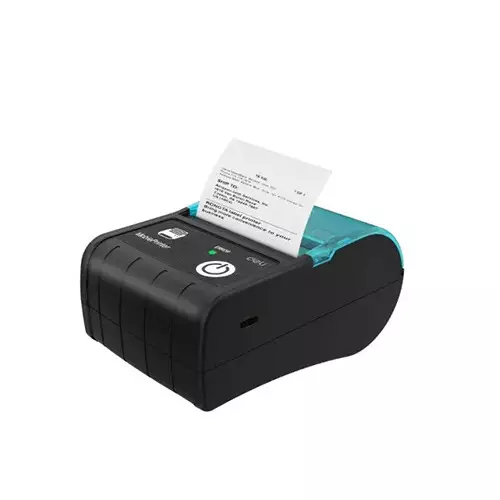
Deli ES421 Thermal POS Receipt Printer Black
- Print Type - Receipt
- Printing resolution - 203dpi
- Max Print Speed - 60mm/s
- Max Print Width - 48mm

Deli ES420 Thermal POS Receipt Printer
- Print Type - Receipt
- Printing resolution - 203dpi
- Max Print Speed - 60mm/s
- Max Print Width - 48mm
Showing 20 out of 131 products
Thermal POS Printers for Businesses
Thermal POS printers are widely used in retail shops, restaurants, supermarkets, pharmacies, and other businesses to print receipts and transaction records. The right printer can help make checkout and billing processes more efficient. Choose a model based on your daily printing needs, available connections, and POS software compatibility.
Choosing the Right POS Printer
Before buying a POS printer, consider print speed, paper width, resolution, and connectivity. Make sure the printer works with your existing billing software and computer or POS terminal. If you are setting up a new checkout counter, a compatible POS machine and barcode scanner can help streamline sales transactions.
Thermal Printing and Paper Compatibility
Thermal POS printers use heat to print on compatible thermal paper, so direct thermal models generally do not require ink or toner. Check the supported paper width and receipt format before choosing a printer. If your business prints receipts throughout the day, make sure compatible thermal paper rolls are readily available.
POS Printer Connectivity and Compatibility
Depending on the model, a POS printer may support USB, Ethernet/LAN, serial, or wireless connections. Check the interface and software requirements before purchasing to avoid compatibility issues. Businesses that also need product labels can consider a barcode label printer as a separate part of their billing and inventory setup.
POS Printers for Retail and Restaurants
Retail shops can use POS printers to issue customer receipts, while restaurants may use compatible models to print bills or order slips. Supermarkets and pharmacies can also use receipt printers to support checkout operations. Choose a model that suits your transaction volume, workspace, and existing equipment.
Print Speed and Everyday Performance
Print speed can affect checkout efficiency, especially during busy periods. Paper-loading design, supported paper width, connection options, and recommended operating conditions are also worth considering. Compare the specifications of available models to find a printer that matches your business's daily workload.
Buy POS Printers in Bangladesh from Techland BD
Explore thermal POS printers at Techland BD and compare available models by print speed, paper compatibility, connectivity, and other specifications. Review the product details to make sure your chosen printer fits your billing system and business requirements. Selecting compatible equipment can help you build a more practical checkout setup.
POS Printer Price List in Bangladesh 2026
Frequently Asked Questions
What is a thermal POS printer?
A thermal POS printer uses heat to print text and graphics on compatible thermal paper. It is commonly used for receipts and transaction records.
Do thermal POS printers require ink?
Direct thermal printers generally do not require ink or toner because they print on heat-sensitive paper.
Which POS printer is suitable for a retail shop?
Choose a model based on transaction volume, print speed, paper width, connectivity, and compatibility with your POS software.
Can I connect a POS printer to my computer?
Many models support USB or other interfaces, but connectivity varies. Check the product specifications and software requirements before buying.
Can a POS printer be used in a restaurant?
Yes. A compatible model can print customer bills or order slips, depending on the printer, software, and restaurant workflow.
Where can I buy a POS printer in Bangladesh?
You can explore the thermal POS printer category at Techland BD and compare the specifications of available models before purchasing.
