
D-Link Router Price in Bangladesh
Explore D-Link routers at Techland BD for home, office, and everyday networking needs. Compare available models by Wi-Fi standards, speed, frequency bands, antenna design, coverage, and connectivity features. Whether you need a router for browsing, online classes, video streaming, or multiple connected devices, review the product specifications to find a suitable D-Link router for your network.

D-Link COVR-C1202 2 pack AC1200 Wireless Dual-Band Whole Home Wi-Fi Router
- 3 x internal antennas
- Wireless Wireless AC Wave 2
- 2.4 GHz: Up to 300 Mbps1
- Highly Efficient Wi-Fi Network

D-Link COVR-C1203 AC1200 3-Pack Mbps Gigabit Dual-Band Wi-Fi System
- Router Type - Wireless & Ethernet
- Wi-Fi Generation - Wi-Fi 5
- Wi-Fi Coverage - Up to 5000 sq. ft.
- Antenna (Type & Qty) - 3 x Internal Antena
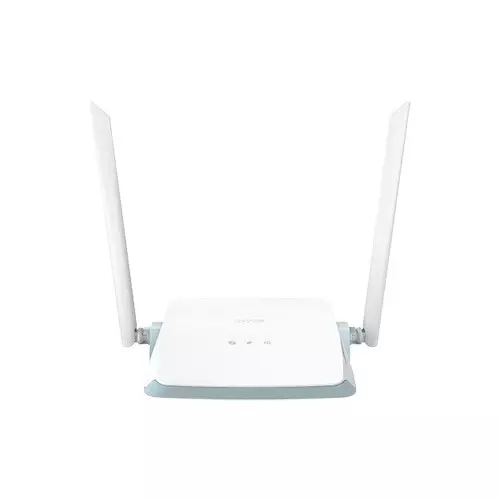
D-Link R03 N300 2.4 GHz Up to 300 Mbps Smart Router
- Power Input - 12V 1A
- Data Rate - 300 Mbps
- Antenna - 2 x external dipole antennas (5 dBi)
- Frequency - 2.4 GHz Up to 300 Mbps
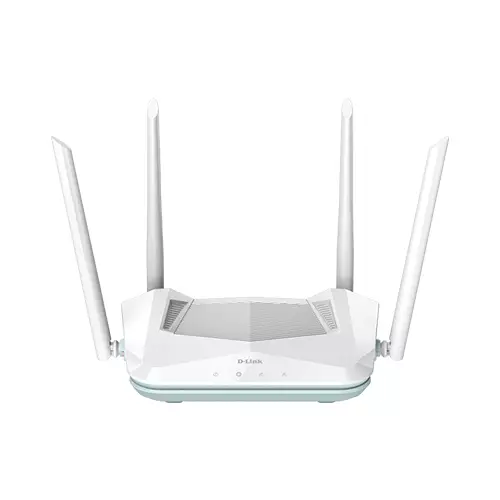
DLINK R15 AX1500 EAGLE PRO AI WI-FI 6 DUAL-BAND SMART ROUTER
- Four external antennas
- 2.4 GHz Up to 300 Mbps
- 5 GHz Up to 1201 Mbps
- 3 x Gigabit Ethernet LAN ports
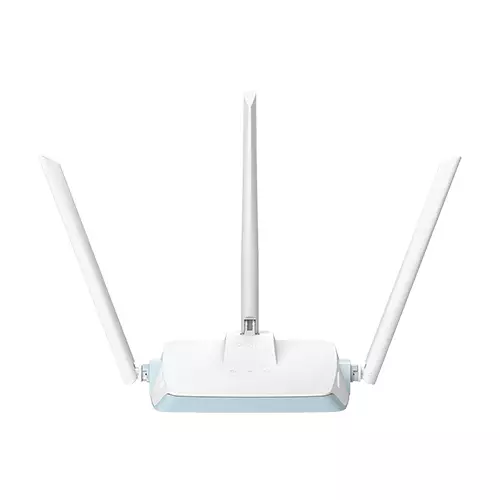
D-Link EAGLE PRO AI N300 R04 300Mbps 3 Antenna Smart Router
- QoS: D-Link QoS Technology
- Hardware version: A1
- Voice Assistant: Amazon Alexa, the Google Assistant
- Wi-Fi Data Rate: 2.4 GHz Up to 300 Mbps
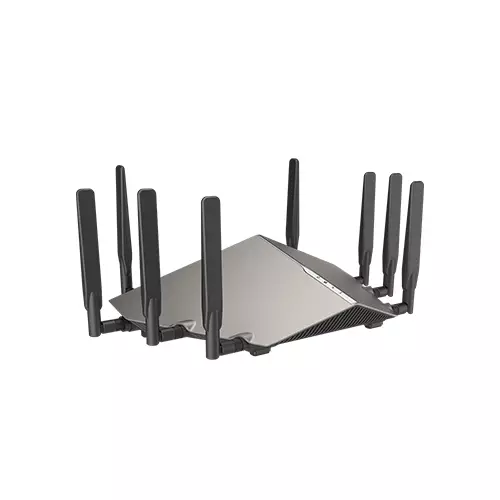
D-Link DIR-X6060 AX6000 6000 Mbps 8 Antenna Wi-Fi 6 Router
- Features:
- Exceptional Capacity
- Made for Smart Home
- Mind-Blowing Speed & Range
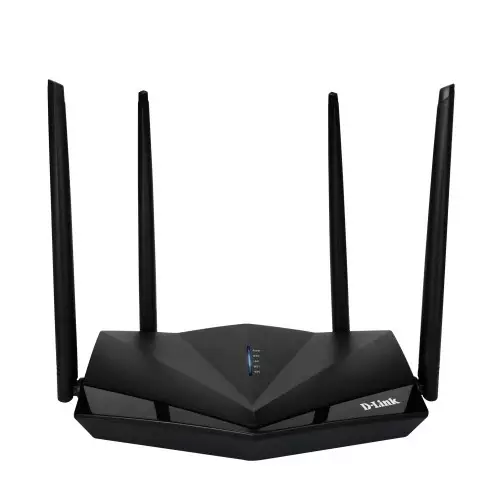
D-link Dir-650in 300mbps 3 Lan 4 Antenna Router
- POWER button
- WIFI button
- WPS button
- RESET button
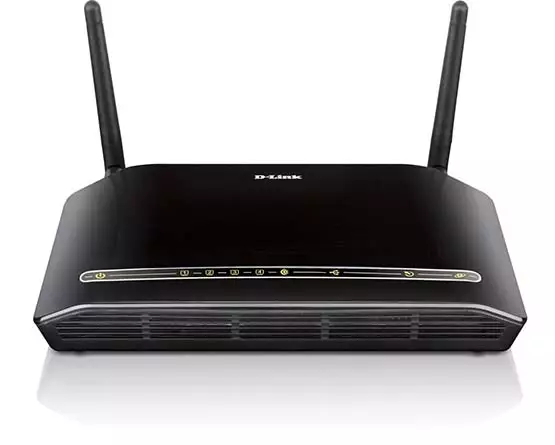
D-Link DSL-2750U Wireless N 300 BROADBAND + ADSL2 ROUTER
- Wireless Speed- 300 Mbps
- Wireless Standards- 802.11b
- Interfaces- RJ-11 ADSL port
- Packet Filtering
Showing 8 out of 8 products
Explore D-Link Routers for Home and Office Networking
A reliable router is essential for connecting computers, smartphones, smart TVs, and other devices to the internet. D-Link routers offer networking solutions for different environments, including homes, small offices, and everyday internet use. The right router depends on your internet connection, number of connected devices, coverage requirements, and preferred Wi-Fi features.
At Techland BD, you can explore available D-Link routers and compare their specifications before choosing a model. Consider Wi-Fi standards, supported speed, frequency bands, antenna design, Ethernet ports, and security features to find a suitable router for your network.
D-Link Wi-Fi Routers and Wireless Connectivity
D-Link Wi-Fi routers allow compatible devices to connect to a network wirelessly. They are useful for everyday activities such as web browsing, online classes, video streaming, video calls, and connecting smart devices.
Different router models support different Wi-Fi standards and wireless capabilities. When comparing products, check the supported Wi-Fi generation, frequency bands, and maximum rated wireless speed. Actual internet performance also depends on your broadband connection, device compatibility, network traffic, and environmental conditions.
Single Band and Dual Band D-Link Routers
D-Link routers may support different wireless frequency configurations depending on the model. Single-band routers generally operate on the 2.4GHz frequency, while dual-band models support both 2.4GHz and 5GHz bands.
The 2.4GHz band can offer broader coverage in many environments, while the 5GHz band can provide higher wireless speeds over shorter distances under suitable conditions. Dual-band connectivity can be useful when multiple devices use the network for different activities.
Before purchasing, check the frequency bands supported by the specific D-Link router and confirm that your devices are compatible.
Wi-Fi Speed, Coverage, and Antenna Design
Wireless speed and coverage are important when selecting a router. A router's advertised speed represents its rated wireless capability under specified conditions, not a guaranteed internet speed. Your actual experience may vary depending on the broadband package, connected devices, walls, interference, router placement, and network activity.
Antenna design can also influence wireless coverage. Some models use external antennas, while others have internal antenna designs. Consider your room layout, floor area, and router placement when comparing available D-Link models.
For larger spaces or areas with weak signals, you may need additional networking equipment or a suitable coverage solution.
D-Link Routers for Gaming, Streaming, and Daily Use
A suitable router can help support different online activities, including gaming, video streaming, remote work, and online communication. However, the required networking performance depends on the number of users, connected devices, internet speed, and type of activity.
For gaming and video calls, a stable connection and appropriate network configuration are important. For households with multiple users, consider a router that supports your expected device count and internet usage. Review the specifications and available networking features before selecting a model.
Ethernet Ports and Wired Network Connections
In addition to wireless connectivity, many routers provide Ethernet ports for wired network connections. These ports can be useful for connecting desktop computers, gaming consoles, smart TVs, network switches, and other compatible devices.
When choosing a D-Link router, check the number and speed of its Ethernet ports. Confirm whether the model provides the port configuration required for your setup. Wired connections can be useful for devices that need a stable network connection or are located near the router.
Network Security and Router Management
Network security is an important consideration when setting up a home or office router. Depending on the model, D-Link routers may support different wireless security standards, access controls, guest network options, and management features.
Use a strong Wi-Fi password and update the router's firmware according to the manufacturer's recommendations. Review the security and management features listed for the specific model to understand what it supports.
Changing default login credentials and keeping router software updated can also help improve network security.
How to Choose the Right D-Link Router
Choosing the right D-Link router depends on your internet package, home or office layout, connected devices, and networking requirements. Before purchasing, compare these factors:
Wi-Fi standard: Check the supported Wi-Fi generation and device compatibility.
Wireless speed: Compare the advertised speed and supported frequency bands.
Coverage: Consider the area where you plan to use the router.
Antenna design: Review the antenna configuration and design.
Ethernet ports: Check the number and speed of available LAN and WAN ports.
Connected devices: Consider how many devices will use the network regularly.
Security: Review the supported wireless security and network management features.
Installation: Check the setup requirements and available management options.
Comparing these specifications can help you select a D-Link router that matches your connectivity needs and budget.
Buy D-Link Routers from Techland BD
Techland BD provides an online destination for exploring available D-Link routers in Bangladesh. Browse the D-Link Routers category to compare listed models, review their networking specifications, and find an option suitable for your home or office.
Whether you need a router for everyday browsing, online meetings, gaming, or connecting multiple devices, compare Wi-Fi standards, wireless speed, coverage, frequency bands, and Ethernet connectivity before purchasing. Check each product page for current pricing, availability, specifications, and other product information.
D-Link Router Price List in Bangladesh 2026
| Product | Price |
|---|---|
| D-Link COVR-C1202 2 pack AC1200 Wireless Dual-Band Whole Home Wi-Fi Router | ৳3300 |
Frequently Asked Questions
What is a D-Link router used for?
A D-Link router is used to connect devices to a network and provide internet access through wired or wireless connections. Depending on the model, it can support computers, smartphones, smart TVs, gaming consoles, and other compatible devices.
What is the D-Link Router Price in Bangladesh?
D-Link router prices in Bangladesh vary according to the model, Wi-Fi standard, wireless speed, frequency bands, antenna design, Ethernet ports, and supported features. Check the Techland BD product listings for current prices and availability.
Are D-Link routers suitable for home use?
D-Link offers router models for different networking requirements. When choosing one for home use, consider your internet speed, home size, number of connected devices, and wireless coverage requirements.
What is the difference between single-band and dual-band routers?
Single-band routers generally operate on the 2.4GHz frequency, while dual-band routers support both 2.4GHz and 5GHz frequencies. Dual-band connectivity provides more flexibility when connecting compatible devices.
How do I choose a D-Link router for gaming?
Consider wireless performance, connection stability, Ethernet port speed, supported Wi-Fi standards, and the number of connected devices. A wired Ethernet connection may also be useful for compatible gaming devices.
Do D-Link routers support 5GHz Wi-Fi?
Some D-Link router models support 5GHz Wi-Fi, while others operate only on 2.4GHz. Check the specifications of the particular model before purchasing.
How many devices can connect to a D-Link router?
The supported number of connected devices varies by model and network conditions. Actual performance depends on device activity, wireless capacity, internet bandwidth, and signal quality.
How can I improve my D-Link router's Wi-Fi coverage?
Place the router in a central, open location and avoid unnecessary physical obstructions. Keep its firmware updated and use a suitable wireless channel. For larger spaces, consider compatible additional networking equipment.
Where can I buy D-Link routers in Bangladesh?
You can browse the D-Link Routers category at Techland BD to explore available models, compare specifications, and check current prices and availability.
