
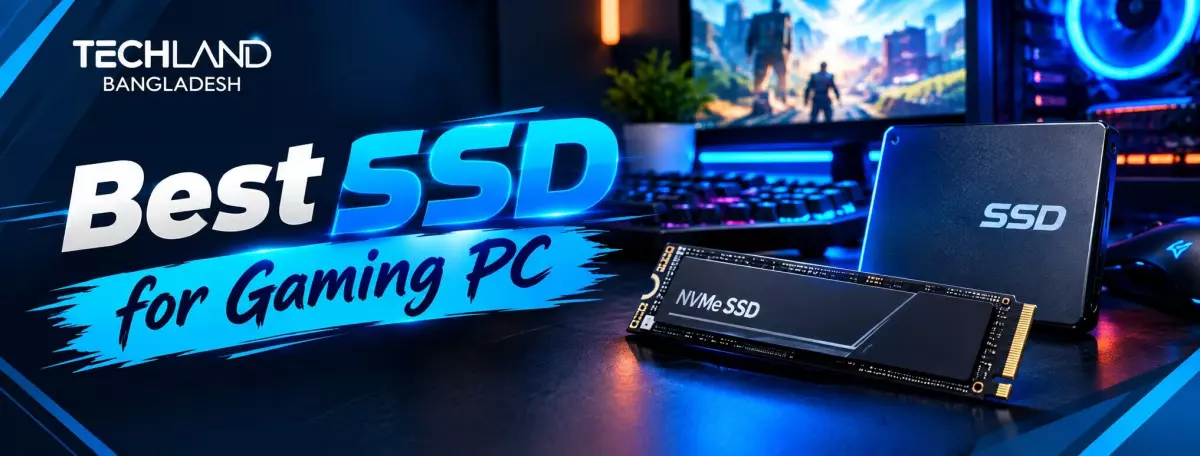
Best SSD for Gaming PC: An Easy Buying Guide
Long load times and stuttering while you roam an open world usually boil down to one thing: storage. An SSD upgrade often makes a bigger difference to the actual gaming experience than a slightly faster processor or a bit more RAM. But with different interfaces, PCIe generations, and capacities to choose from, choosing the right SSD for a gaming PC requires a little understanding. Before you start comparing specs, it helps to know what you want the SSD to do for your setup.
Why Your Gaming PC Needs an SSD
Think about what's bothering you most in your current setup. Is it long game load screens, stuttering while streaming in open-world titles, or simply running out of storage space as your game library grows? A traditional hard drive struggles with all three because it has to physically move a read head across spinning platters to find data, while an SSD retrieves data electronically almost instantly.
Modern games are also built with faster storage in mind. Several recent titles load in-game assets on the fly as you move through the world, and a slow drive can cause noticeable stutter or pop-in during gameplay that a fast SSD avoids entirely. Once you know exactly what's driving your upgrade, whether that's speed, capacity, or both, the rest of this guide gets much easier to apply.
Check Your Motherboard's SSD Support
Before comparing SSD types, check what your motherboard supports, since that determines your realistic options. Most current motherboards support both SATA drives and M.2 NVMe drives, but the number of M.2 slots and the PCIe generation they support vary by model. Your motherboard manual or spec page tells you exactly how many NVMe drives you can install and at what maximum speed.
This matters most if you're building or upgrading around a specific motherboard, since buying a high-end NVMe drive that outpaces what your board supports means you won't get the performance you paid for.
SATA vs NVMe for Gaming
Once you know what your motherboard supports, the next big decision is SATA vs NVMe. SATA SSDs max out at around 550 megabytes per second, which is still a huge upgrade over a mechanical HDD, making them a good budget option for a secondary storage drive in a gaming PC. NVMe SSDs use the much faster PCIe interface and can reach speeds several times higher than SATA. This can translate into noticeably shorter load times in supported games.
If your budget allows, NVMe is generally worth prioritizing for your main drive with your OS and most-played games. SATA is still a good choice for cheap additional storage where you aren't concerned about the absolute fastest speeds, like your general game library or media files.
Understanding PCIe Generations
As NVMe is likely your choice for the main drive, it's worth knowing that NVMe drives themselves come in different PCIe generations, each roughly doubling the maximum speed of the one before it. Older PCIe Gen 3 NVMe drives are still fast and inexpensive, and they handle most games and everyday tasks well. Newer PCIe Gen 4 and Gen 5 drives push significantly higher speeds, but the real-world gaming benefit beyond Gen 3 is smaller than the number difference suggests for most current titles.
If your motherboard supports the newer generations and your budget permits, a Gen 4 drive strikes a fair balance between speed and value. Gen 5 drives matter more today for heavy content creation or future-proofing than for pure gaming performance.
Choosing the Right SSD Capacity
Once your interface and generation are settled, capacity becomes the next practical decision, and this is where gaming needs differ a lot from general laptop use. Modern game installations regularly run 50GB to well over 100GB each, meaning a smaller drive fills up fast once you've installed a handful of current titles. A 1TB SSD has become a reasonable starting point for most gamers, covering the operating system plus a handful of actively played games.
For anyone with a large, growing game library, or who plays several heavy titles at once without wanting to uninstall and reinstall constantly, 2TB or more avoids the regular storage juggling that comes with a smaller drive.
Using Multiple SSDs in a Gaming PC
After you've worked out capacity, consider whether one big drive or a combination of drives is better for your build. A common approach is to use a smaller, faster NVMe drive for your OS and most-played games, and a larger, cheaper SATA or secondary NVMe drive for your larger game library and files. That setup gives you fast load times where it matters most, while keeping overall storage costs more reasonable than cramming a big drive packed with premium NVMe storage.
SSD Heat Management for Gaming PCs
Thermal management for fast NVMe drives is rarely something laptop buyers need to think about, but gaming PC builders should. NVMe drives, especially Gen 4 and Gen 5, run hotter when under sustained load. If it gets too hot, the drive will throttle its own speed to protect itself. Many motherboards have a built-in heatsink for M.2 slots, and some high-performance SSDs have their own heatsink attached. Proper SSD cooling of your fastest drive will help it perform at its best during long gaming sessions rather than throttling halfway through.
SSD Endurance and DRAM Cache
Endurance and DRAM cache also matter, beyond raw speed, for anyone planning to keep their gaming PC running hard for years. TBW (terabytes written) signifies the total amount of data a drive can write throughout its lifespan. Gamers who regularly install, uninstall, and update large titles put more write cycles on their drive than the average user. Hence, a higher TBW rating is worth prioritising for a primary game drive.
You will find DRAM cache in higher-end SSDs. It helps keep performance consistent in heavy, sustained read and write workloads, such as installing a few large games back to back. Budget drives without DRAM cache will still perform well for everyday gaming, but you may see more slowdown during these heavier operations.
Choosing an SSD Within Your Budget
Once you've sorted out the interface, PCIe generation, capacity and drive setup, budget is the final piece. Gaming SSD prices range from entry-level SATA and entry-level NVMe solutions to high-end, speedy options with large capacities and high endurance ratings. Higher prices usually mean faster load times, better sustained performance, and longer drive lifespan, but a well-chosen mid-range NVMe drive will still deliver great performance for most builds. Match your budget to the priorities you identified earlier in this guide, rather than just chasing the highest number on the box.
TechLand BD stocks SATA and NVMe SSDs in a variety of capacities, speeds, and budgets, making it easier to build a gaming PC storage setup that works for you.
FAQ
Does a faster SSD actually improve gaming performance?
A faster SSD significantly reduces load times and can eliminate stutter or asset pop-in in games designed for high-speed storage. It won't increase your frame rate on its own, but it noticeably improves the overall gaming experience, especially in large open-world titles.
Is NVMe worth it over SATA for gaming?
For your primary drive with your operating system and most-played games, yes, NVMe is generally worth the extra cost if your motherboard supports it. SATA remains a reasonable, affordable choice for secondary storage where load times matter less.
Where can I buy a good quality SSD for my gaming PC in Bangladesh?
TechLand BD carries a wide range of SATA and NVMe SSDs across different capacities and budgets, with genuine products and proper warranty support. Their team can help you find one that fits your motherboard and gaming needs.
Does TechLand BD offer warranty support on gaming SSDs?
Yes, SSDs purchased through TechLand BD come with proper warranty support, which is worth checking no matter which seller you're buying from.
Discussion
0Leave a Comment
No comments yet
Be the first to share your thoughts
