
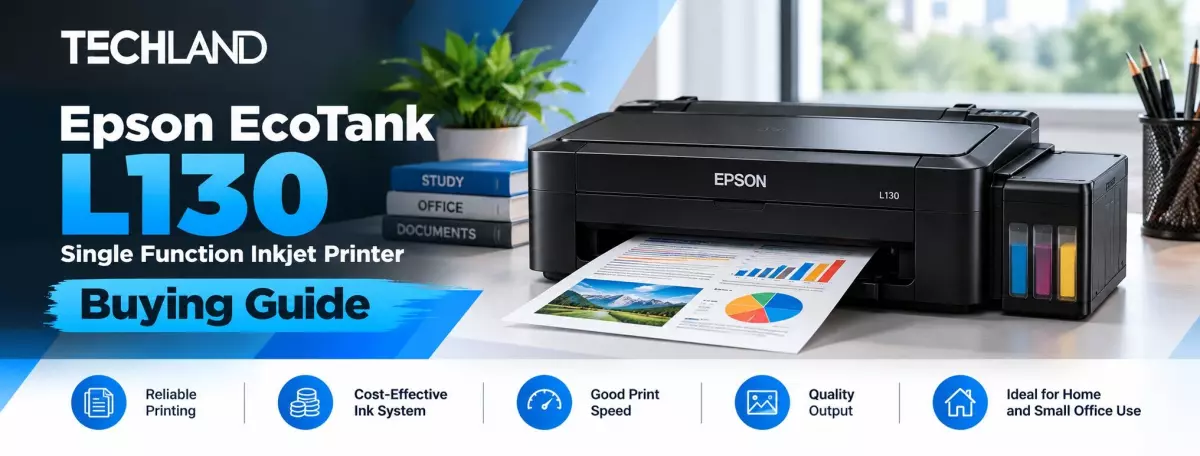
Epson EcoTank L130 Single Function Inkjet Printer
Choosing a printer is easier when you first understand what you actually need to print. A printer that works well for occasional home documents may not suit a busy office, while a multifunction model may be unnecessary if you only need to print.
Epson EcoTank L130 Single Function Inkjet Printer is designed around a straightforward idea. It focuses on printing and uses an integrated ink tank system instead of traditional ink cartridges. The model supports black and colour printing, uses a USB 2.0 Hi-Speed connection, and supports common paper sizes including A4, A5, A6, B5, C6, and DL.
If you are considering the Epson L130 for your home, study desk, or small office, this guide will help you understand what the printer offers and whether it matches your printing needs.
What Is the Epson EcoTank L130
The Epson L130 is a single-function inkjet printer, which means its main purpose is printing. Unlike an all-in-one printer, it does not include a scanner or copier. This makes the L130 suitable for users who already have another way to scan or copy documents and simply want a dedicated printer. If you mainly print assignments, documents, forms, reports, or occasional colour pages, a single-function printer can be a practical choice. The printer uses Epson's EcoTank-style refillable ink system, so you refill it with bottles rather than conventional disposable cartridges. Techland's current listing identifies the model as the Epson L130 and lists a one-year warranty.
Check Your Printing Needs Before Buying
The first question to ask is how you plan to use the printer. If you are a student who prints assignments and study materials, the L130 can cover common document-printing needs. It can also suit home users who occasionally need colour prints for forms, school projects, graphics, or other documents.
For a small office, the decision depends on workload. The L130 can handle regular everyday printing, but users with very high-volume requirements may want to compare it with a business-oriented model designed for heavier workloads. The L130 is also a print-only model. If scanning and photocopying are part of your daily workflow, an Epson multifunction model such as the L3210 or another all-in-one printer may be a better fit.
Print Quality of the Epson L130
The Epson L130 has a listed maximum print resolution of 5760 × 1440 dpi. This gives the printer enough resolution for detailed text and colour output for typical home and office printing. For regular documents, forms, assignments, and colour materials, resolution is only one part of the final result. Paper quality, ink condition, document settings, and the selected print mode can also affect the output. This means you should not choose a printer based on resolution alone. Consider the types of documents you print most often and whether you need basic document quality or more specialised photo printing.
Epson L130 Print Speed
The listed print speed is up to 27 pages per minute for black printing and 15 pages per minute for colour printing. These figures are useful when comparing the L130 with other entry-level printers, but real-world speed can vary depending on the document, print mode, paper, and computer settings.
For normal home printing and everyday office documents, these advertised speeds provide a reasonable starting point. If your work involves printing hundreds of pages continuously, however, it makes sense to compare the printer with models designed specifically for higher-volume office environments.
Ink Tank System and Running Cost
One of the main reasons users consider the Epson L130 is its refillable ink tank design. Instead of replacing a complete cartridge whenever ink runs out, users can refill the appropriate tank with compatible ink bottles. The L130 uses Epson 664 ink bottles, with black, cyan, magenta, and yellow options listed for the model. Techland currently lists an Epson 664 black ink bottle as compatible with the L130.
This type of ink system can be useful for people who print regularly because the cost of replacement ink can be easier to manage than repeatedly purchasing conventional cartridges. However, your actual printing cost depends on how much you print, the type of documents you produce, the amount of color coverage, and whether you use genuine compatible ink. It is better to look at your expected printing volume rather than assume one fixed cost per page.
Is Epson L130 Good for Home Use
For many basic home printing needs, the Epson L130 can be a practical option. Students can use it for assignments, notes, forms, and project materials. Home users can use it for documents and occasional colour printing. Its relatively straightforward setup also means you don't need to manage complicated wireless features if you plan to connect the printer directly to a computer. The main limitation is the lack of scanning and copying. If you regularly need photocopies or document scans, buying a multifunction printer from the beginning may save you from needing another device.
Is Epson L130 Suitable for Small Office Use
The L130 can make sense for a small office where the main requirement is straightforward document printing. It supports A4 and several smaller paper sizes, and the current Techland specification lists a 50-sheet input tray and 30-sheet output tray. For a small workspace that prints documents, forms, reports, or occasional colour pages, these features can be sufficient. For a larger office with multiple employees, wireless printing needs, automatic duplex printing, scanning, copying, or a heavier daily workload, it's better to compare the L130 with a more advanced business or multifunction printer.
What Connectivity Does the Epson L130 Offer
The Epson L130 uses USB 2.0 Hi-Speed connectivity. Consider this before buying. If you want to print wirelessly from smartphones, tablets, or multiple computers without physically connecting a USB cable, the L130 may not be the right choice. For a single computer or a simple desktop setup, however, USB connectivity keeps the connection straightforward. Epson still provides L130-series drivers and software through its download centre, including a printer driver for supported Windows versions.
What Are the Limitations of the Epson L130
Understanding what a printer does not offer is just as important as knowing its features. The Epson L130 is a single-function printer, so it does not scan or copy. It also does not offer wireless connectivity, according to the listed specifications, and uses USB 2.0 as its connection method. Therefore, it suits users who want a dedicated printer rather than an all-in-one device. If wireless printing, automatic duplex printing, scanning, copying, or advanced office functions matter to you, compare other Epson models before deciding.
Epson L130 vs a Multifunction Printer
The choice between the L130 and a multifunction printer mainly depends on what you need to do. Choose a single-function printer like the L130 when your main requirement is printing and you already have access to a scanner or copier. A multifunction model makes more sense when you want several functions in one device. For example, Techland currently lists the Epson EcoTank L3210 and L3250 alongside the L130 in its Epson range. The L3250 differs because it adds Wi-Fi connectivity, while the L3210 offers multifunction capabilities. This makes these models worth comparing if the L130's limited connectivity or print-only design does not fit your workflow.
Discussion
0Leave a Comment
No comments yet
Be the first to share your thoughts
