
Which Processor Features Should You Check Before Buying a New Laptop?
The processor is the component that dictates how smoothly everything runs in a laptop, but it’s also the part of the spec sheet most buyers skip over. The names and numbers of the processors can seem confusing at first glance. This guide explains exactly what to look for so you can compare processors properly rather than guessing based on the name alone.
Core Processor
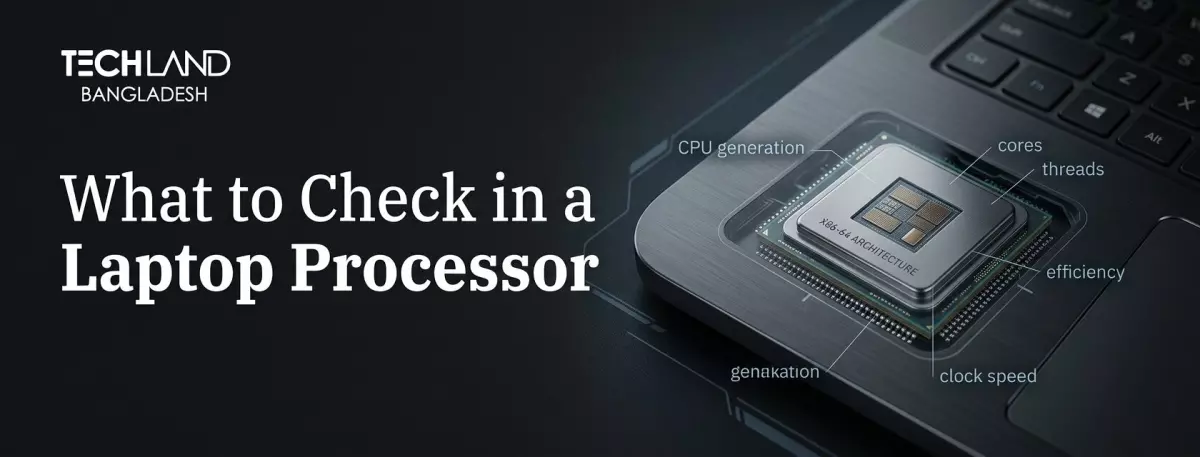
The number of cores in a processor is how many different things it can do at the same time. More cores are generally good for multitasking, video editing and running multiple heavy apps at the same time. Four to six cores is usually enough for everyday tasks such as browsing, documents and video calls.
If you're into video editing, coding, or running a lot of demanding programs at the same time, look for something with more cores. But don't think a higher core count always makes for a better laptop. Core count is important in relation to clock speed and generation, but not by itself.
Processor Speed
Clock speed (GHz) the speed at which each core can process instructions. If a task doesn't parallelise well across cores, such as normal web browsing or opening apps quickly, then single-core performance is more important than the total number of cores. A slower processor with more cores will feel slower for everyday tasks than a faster processor with fewer cores.
Clock speed comparisons only make sense within the same processor generation. Each generation improves the efficiency with which the chip handles instructions. So a newer processor at a lower clock speed can still beat an older one at a higher clock speed.
Processor Generation
Generation is more significant than most buyers think. Even with similar specs on paper, a current-generation processor will typically handle the same tasks more efficiently than a last-generation chip. That affects performance and battery life, too, since newer generations are typically designed to do more while using less power.
Before you buy, see whether the laptop uses the latest generation from Intel or AMD, or a slightly older one being sold at a discount. Old laptops don't have to be bad, but you should know what you're buying before you decide based purely on price.
Integrated Graphics Performance
Most laptops use integrated graphics, built right into the processor, rather than a dedicated graphics card. Modern generations of processors have seen major improvements in integrated graphics, which now easily handle light photo editing, casual gaming, and video playback. If you need your laptop to do more than basic graphics work, check out the strength of the integrated graphics, which varies considerably between processor models.
If you’re doing serious gaming or heavy creative work, a dedicated graphics card will still beat integrated graphics by a country mile. For general use, tho, modern integrated graphics are a lot better than they used to be.
NPU and On-Device AI Features
The latest processors from Intel, AMD, and Qualcomm include a Neural Processing Unit (NPU) designed to run AI directly on the device. This includes features like background noise removal on calls, photo-editing suggestions, and various AI features in Windows, all without sending data to the cloud.
If AI features are important to your workflow, check out the NPU’s performance rating, usually listed in TOPS. The higher the number, the more demanding on-device AI tasks the laptop can run smoothly.
Battery Life and Power Efficiency Effect
Different laptop manufacturers can tune the same processor differently. This affects performance and Laptop battery life. Processors labelled as appropriate for thin and light laptops tend to be more efficiency-focused than performance-focused. In contrast, bigger laptops tend to be more performance-focused at the expense of battery life. If battery life is your main concern, don’t just look at the model name; seek out processors designed for efficiency.
Choosing the Right Processor
Once you know which numbers are important for your use case, it becomes easier to compare processors. The raw performance depends on the core count and the clock speed. Generation affects not only efficiency, but also speed. Integrated graphics determine how much visual work the laptop can do without a dedicated graphics card. And if on-device AI features are what you are after, NPU performance is important.
The TechLand BD team can walk you through the processor options across their laptop lineup and help you match one to how you’ll actually use the laptop day to day.
FAQ
Is a higher core count always better for a laptop processor?
Not necessarily. More cores help with multitasking and heavy workloads, such as video editing. Still, for everyday browsing and document work, a processor with strong single-core performance often feels faster.
How much does processor generation actually matter?
It matters quite a bit. A current-generation processor typically handles the same tasks more efficiently than an older one, often with better battery life too, even when the specs look similar on paper.
Which shop in Bangladesh can help me pick the right processor for my laptop?
TechLand BD's team can compare processor options across their laptop lineup and help you choose one that matches your actual workload, whether that's everyday use, creative work, or heavier multitasking.
Does TechLand BD sell laptops with the latest processor generations?
Yes, TechLand BD regularly updates its laptop selection to include current-generation processors from Intel and AMD, as well as older models at different price points.
Discussion
0Leave a Comment
No comments yet
Be the first to share your thoughts
