
Amalink HUB Price in Bangladesh
Amalink HUBs are designed to expand connectivity between computers, laptops, peripherals, and other compatible devices. Different models can offer various ports, connectivity options, data transfer capabilities, and compact designs for different setups. At Techland BD, you can compare available Amalink HUBs by port type, connectivity, compatibility, design, and other specifications to choose the right hub for your needs.
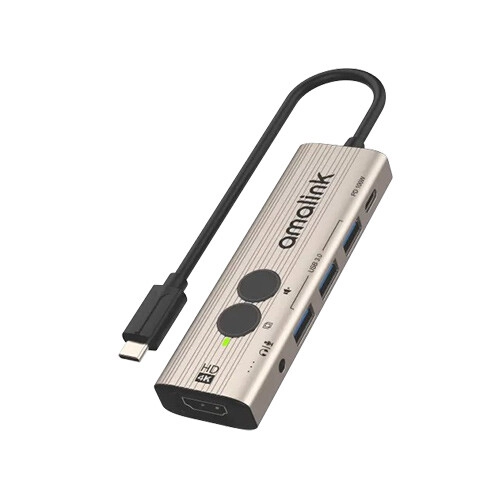
Amalink AL-UC123+ USB-C to HDMI Hub with Instant Screen-Off & One-Click mute
- I/O: Type-C In (0.16m) | 3x USB 3.0 + 1x Type-C Out
- Video: 1x HDMI (Up to 4K@30Hz)
- Audio: 1x 3.5mm Audio Jack
- Design: Compact Portable Hub
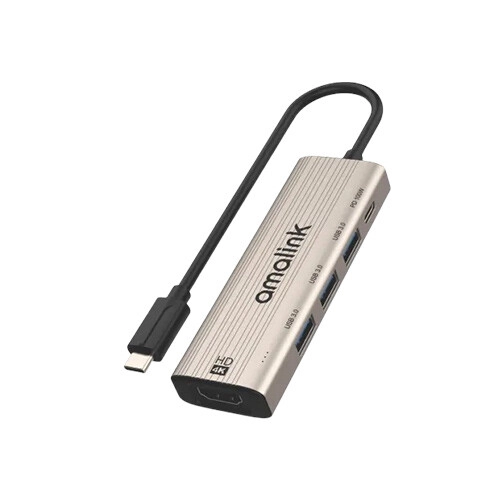
Amalink AL-UC123S 5 in 1 USB-C to HDMI Hub
- I/O: Type-C In (0.16m) | 3x USB 3.0 + 1x Type-C Out
- Video: 1x HDMI (Up to 4K@30Hz)
- Function: Multi-Port Data & Display Expansion
- Design: Compact Portable Hub
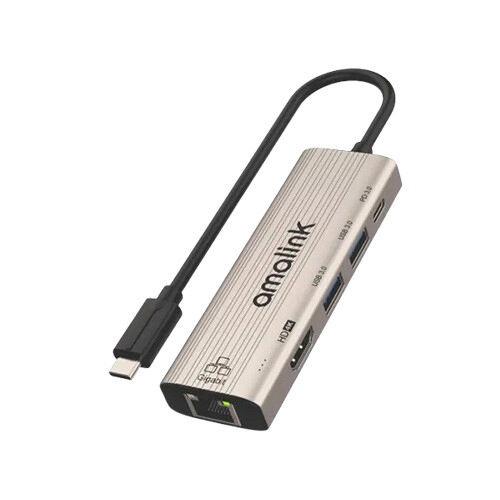
Amalink AL-UC125S 5 in 1 USB-C to HDMI Adapter with 1000M Network Card
- I/O: Type-C In (0.16m) | 2x USB 3.0 + Type-C Out
- Display/Net: 1x HDMI (4K@30Hz) | 1x RJ45
- Power: 100W PD Pass-Through
- Design: Compact Multi-Port Hub
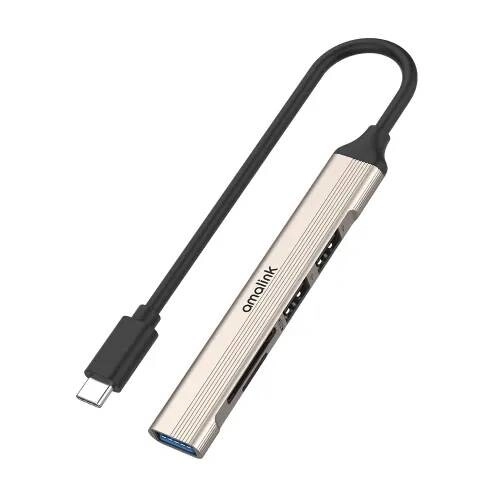
Amalink AL-9705D USB-C 2.0 Card Reader with 3-Port HUB
- Input: 1× Type-C
- Output: USB 3.0, 2× USB 2.0, SD & TF
- Cable Length: 0.16M
- Compatibility: Windows, macOS & Android
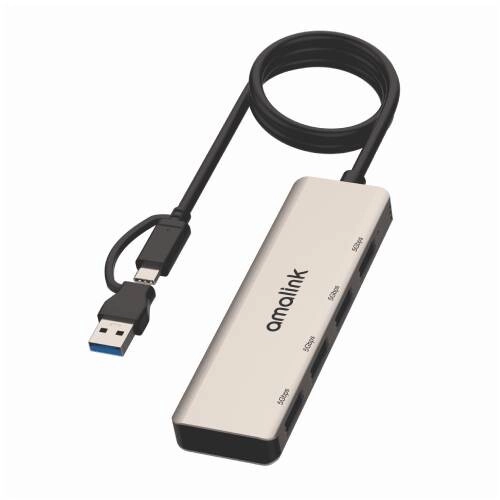
Amalink AL-UCA621 USB 3.2 Gen 1 4-Port 5G Hub
- 1x USB + 1x Type-C Input
- 4x USB 3.2 Gen1 Output
- Supports Windows/macOS/Android/HarmonyOS
- 0.5M Cable Length
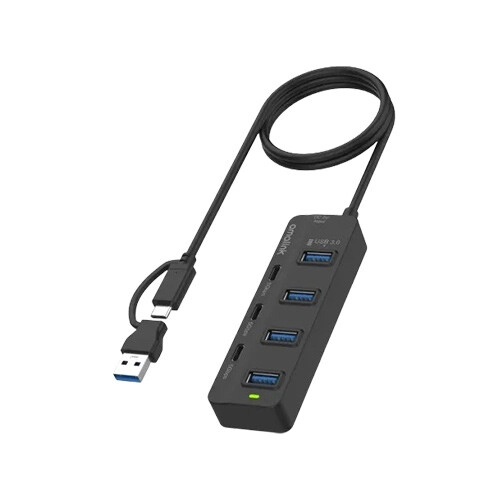
Amalink AL-UCA5306 7-in-2 USB-C/USB 3.0 7-Port HUB
- I/O: USB/Type-C In (1M) | 4x USB 3.0 + 3x Type-C Out
- Speed: Up to 5Gbps Data Transfer
- OS: Windows / macOS / HarmonyOS / Android
- Design: Multi-Port USB-C/A Hub
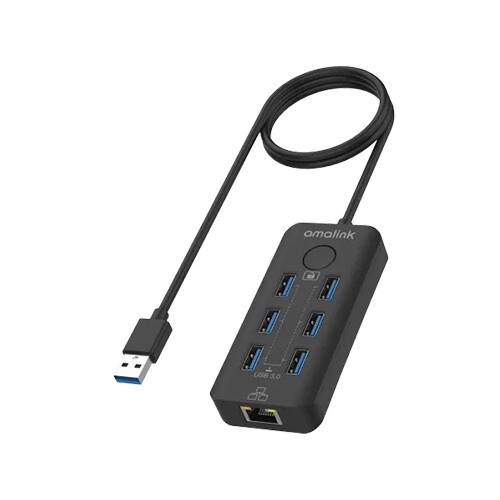
Amalink USB 3.2 Gen 1 6-Port 5G Hub with Ethernet card and Lock Button
- Interface: Type-C Input | 0.5m Cable
- Ports: 6x USB 3.0 | 1x RJ45
- Performance: Up to 5Gbps Transfer Rate
- Connectivity: Gigabit Ethernet | Multi-Port Expansion
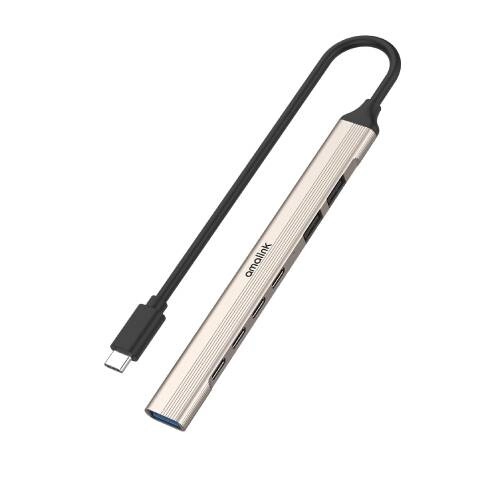
Amalink AL-UC972C USB-C 7-Port (3A+4C) Smart Hub
- 1x Type-C Input
- 1x USB 3.0, 2x USB 2.0, 4x Type-C
- 0.15M Cable Length
- Windows/macOS/Android Compatible
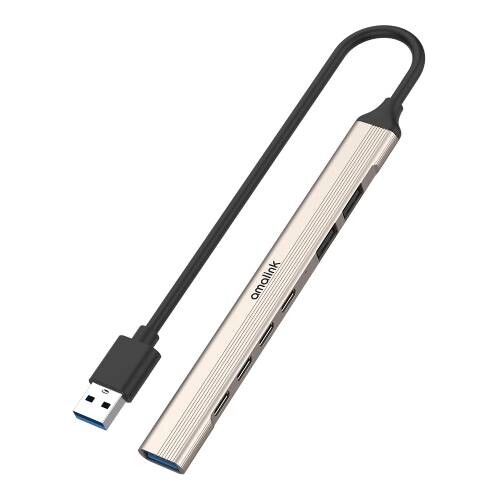
Amalink AL-UA972C USB 3.0 7-Port (3A+4C) Smart Hub
- Input: 1× USB 3.0
- Output: USB 3.0 + 2× USB 2.0 + 4× Type-C
- Cable Length: 0.5M
- Compatible: Windows, macOS & Android
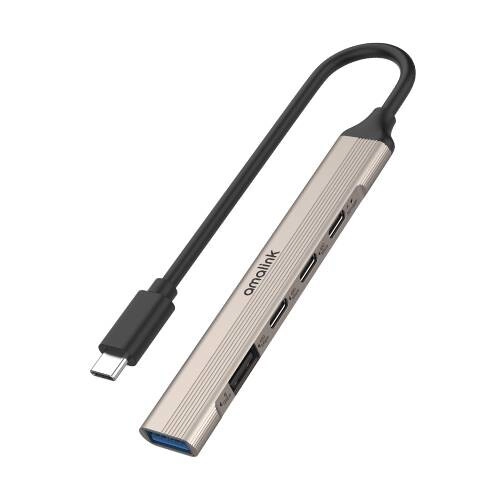
Amalink AL-UC971 USB-C 2A+2C+PD100W HUB
- 1× Type-C Input
- 2× USB + 3× Type-C Output
- Supports 100W PD Charging
- 0.16M Cable Length
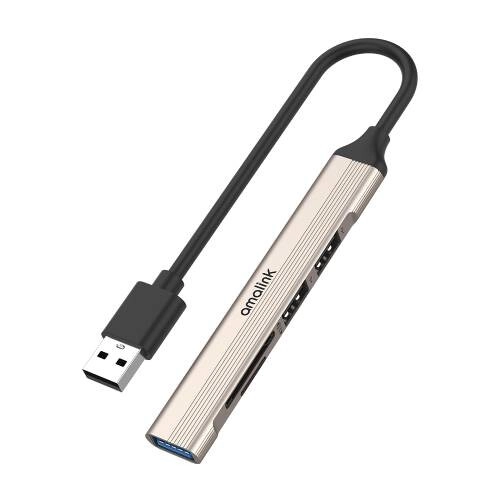
Amalink AL-5705D USB 2.0 Card Reader with 3-Port HUB
- 1x USB 2.0 Input
- 1x USB 3.0, 2x USB 2.0 Output
- SD + TF Card Support, 0.16M Cable
- Windows/macOS/Android Compatible
Showing 11 out of 11 products
Amalink HUB for Easy Device Connectivity
Amalink HUBs are useful accessories for expanding the available connectivity of computers, laptops, and other compatible devices. A hub can provide additional ports when the built-in ports on a device are limited. Different Amalink HUB models may offer different port types and connectivity options for various setups.
Choosing the Right Amalink HUB
The right hub depends on the devices you want to connect. Before buying, check the available ports, supported devices, connection type, and required functions. Consider how many devices you normally use and which ports you need for your daily work.
USB Ports and Connectivity
USB ports are important when choosing a hub. Depending on the model, an Amalink HUB may provide multiple USB ports for connecting keyboards, mice, storage devices, printers, and other peripherals. Check the supported USB standard and port configuration to match your devices.
Data Transfer and Device Compatibility
Different hubs can support different data transfer capabilities. If you frequently transfer files using USB storage devices, check the supported transfer standard and speed. Device compatibility is also important, especially when using the hub with newer laptops, desktops, or other USB-enabled devices.
Amalink HUB for Work and Everyday Use
An Amalink HUB can be useful for office work, study, home computing, and other everyday tasks. It can help connect multiple peripherals without repeatedly plugging devices directly into the computer. A compact design can also make the hub convenient for laptop users who work in different locations.
Compact Design and Portability
A compact USB hub is easy to carry with a laptop or keep in a computer bag. If you frequently work outside your home or office, consider the hub's size, cable design, port layout, and overall build quality. These features can make everyday use more convenient.
Buy Amalink HUB from Techland BD
Techland BD offers Amalink HUBs for different connectivity requirements. You can compare available models by port type, number of ports, compatibility, data transfer capability, design, and other specifications. Check the product details carefully to choose a suitable hub for your computer or laptop.
Amalink HUB Price List in Bangladesh 2026
Frequently Asked Questions
What is an Amalink HUB?
An Amalink HUB is a connectivity accessory that can provide additional ports for compatible computers, laptops, and other devices.
Why do I need a USB HUB?
A USB HUB can be useful when your computer or laptop does not have enough available ports for your keyboard, mouse, storage devices, printer, or other peripherals.
What should I check before buying an Amalink HUB?
Check the number and type of ports, USB standard, device compatibility, data transfer capability, cable connection, and overall design before buying.
Can I use an Amalink HUB with a laptop?
A compatible Amalink HUB can be used with laptops that support its connection type. Check the product specifications and your laptop's available port before purchasing.
Can a USB HUB connect multiple devices?
Yes, a compatible USB HUB can allow multiple peripherals to connect through a single host port, depending on the hub's available ports and supported specifications.
