
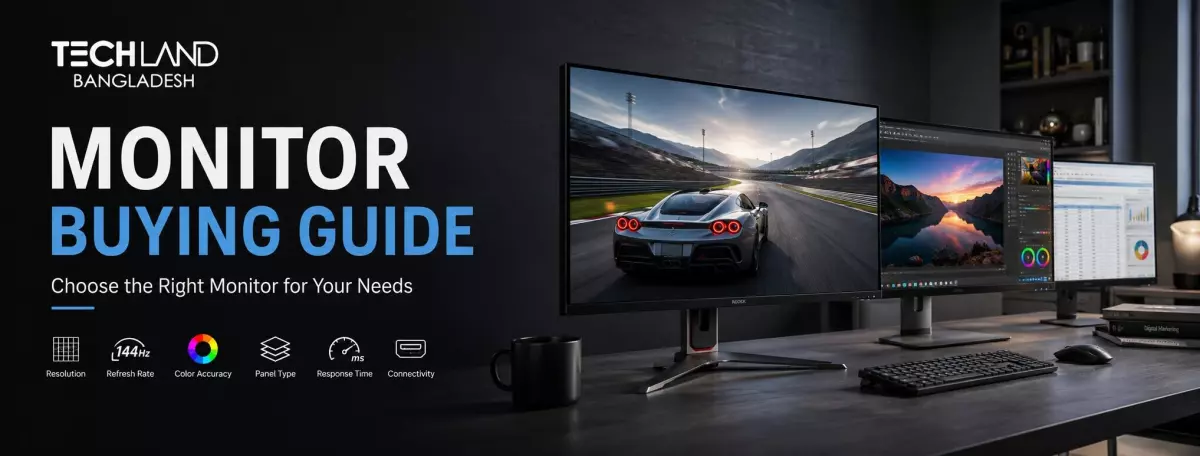
Monitor Buying Guide
Whether you work, play games or watch a movie, you are sitting in front of a monitor for hours a day. But this is often the last thing on people’s minds when they’re upgrading a setup. That one answer informs almost every other decision in this guide, so it’s good to know what you actually need your monitor to do before we start comparing specs.
Why You Actually Need a Good Monitor
Think about where you spend most of your time on screen. Office work and spreadsheets? Competitive gaming? Video editing? Or a bit of everything? The answer matters more than any spec sheet, because it can tell you what panel type, resolution and refresh rate actually make sense for you.
Someone who spends all day in an office has very different priorities than a gamer chasing smooth, fast-paced motion or a designer who needs accurate colour above all else. Now that you know your primary use case, the rest of this guide is much easier to apply to your situation.
Panel Type
With your main use case in mind, panel type is the first real decision to make, because it determines how your monitor handles colour, contrast, and viewing angles. IPS panels have the most accurate colours and viewing angles, so they’re a great choice for design work, photo editing and general everyday use. VA panels offer better blacks and contrast, which is nice for movies and darker games, but the viewing angles are a bit worse than IPS panels.
TN panels are the fastest and cheapest option but have much worse colour accuracy and viewing angles than IPS and VA panels. They still show up in budget gaming monitors because of their fast response times. OLED monitors are also becoming more common; they have the deepest blacks and best contrast of any panel type. They are, however, more expensive, and there is a small risk of burn-in when you display static images for long periods.
Resolution
Once you’ve settled on a panel type, the next thing to think about is resolution, which determines how much detail and real estate you get. Full HD (1920x1080) is still a pretty decent budget option for everyday use and is also good on smaller screen sizes. Quad HD (2560x1440) will provide a significant boost in the sharpness of text and images and is a good compromise between image quality and the graphics power needed to run it smoothly, especially for gaming.
4K is the highest resolution and will provide the most detailed picture. This is good for design work, video editing, and immersive gaming. You will need a more powerful graphics card to play games smoothly at this resolution. Pick a resolution that fits your budget and what your computer can really handle; a 4K screen with a weak graphics card won’t give you the experience you imagine.
Refresh Rate and Response Time for Gaming
With resolution out of the way, refresh rate and response time are the most important factors if gaming is your main use case. The refresh rate is measured in hertz (Hz) and indicates how many times the screen is refreshed in a second. A regular 60Hz monitor is ok for office work, browsing and casual use. If you are interested in a gaming monitor, you should definitely check out a higher refresh rate like 144Hz or 165Hz, as it makes motion look much smoother and can be a real advantage in fast-reaction games.
Motion blur (ms): The higher the number, the more motion blur there is with fast on-screen movement. Lower response times mean less ghosting or trailing blur behind moving objects, which is most important for gaming. If you're not gaming, you won't notice the difference in response time, and it's not worth paying extra for the fastest response time for general use or work.
Screen Size and Curved vs Flat Design
Then think about screen size and shape, as it’s all about your desk space and how you’ll be sitting in front of the monitor. A good size for most everyday desks is about 24 inches, which gives a good balance without taking over a smaller space. The larger models, 27 inches and up, offer more ability to multitask, immersive gaming or detailed creative work but take up more desk depth for a comfortable viewing distance.
Curved monitors wrap the screen around your field of vision a bit. Some people find it more immersive for gaming and movies, and easier on the eyes during long sessions, as their eyes have to travel a shorter distance across the screen. Flat monitors are still the more popular choice for general use, design work and where accurate straight-line viewing is important, such as spreadsheets or technical drawings.
Connectivity and Ports
Once you've determined the size and shape, check which ports the monitor actually has, since this affects what you can connect and how many devices you can utilise at one time. HDMI covers most everyday connections to laptops, desktops and gaming consoles. DisplayPort tends to support higher refresh rates and resolutions in general, which is particularly important for gaming monitors that run at 144Hz or above.
Some monitors also have USB-C with Power Delivery, so you can connect a laptop with a single cable that carries video and charges it simultaneously. This feature is nice for laptop users wanting a neat desk without a lot of cables.
Ergonomics and Stand Adjustability
A monitor you’ll be staring at for hours benefits from good height, tilt and swivel adjustment, so this is worth checking before you make your final choice. A stand that only tilts makes you conform to whatever height it was set to out of the box, which can lead to neck and back strain over long sessions. Find a stand with at least height adjustment, and swivel or pivot if you want some flexibility for video calls or reading long documents in portrait mode.
If the included stand feels restrictive, verify that the monitor has VESA mount compatibility so you can attach it to a separate monitor arm for more adjustment freedom.
Colour Accuracy for Creative Work
If you work in photo editing, video editing or design, colour accuracy is a much more important priority than refresh rate or response time. Seek out monitors that specify coverage of colour spaces like sRGB or Adobe RGB, as higher coverage means more accurate, consistent colours for professional creative work. If you do colour-sensitive work, another detail worth checking is factory colour calibration, where the manufacturer tests and adjusts the panel before shipping it out.
Choosing the Right Monitor for Your Budget
So panel type, resolution, refresh rate, and size are all sorted out; the final piece is budget. Monitor prices vary dramatically, from inexpensive basic displays to high-end gaming and professional monitors with every feature. Higher prices typically mean better-quality panels, faster refresh rates, and more accurate colours, but a mid-range monitor will still meet most everyday needs with ease. Don’t just pick the most feature-packed model on the shelf; match your budget to the priorities you identified earlier in this guide.
TechLand BD stocks monitors in a wide variety of sizes, panel types and budgets so it’s easier to find one that matches exactly how you intend to use it.
FAQ
Which panel type is best for everyday use?
IPS panels are generally the best all-around choice for everyday use, offering accurate colours and wide viewing angles that work well whether you're browsing, working, or watching videos.
Is a higher refresh rate worth it if I don't play competitive games?
Not necessarily. A 60Hz monitor handles everyday work and casual use comfortably. Higher refresh rates matter most for fast-paced or competitive gaming, where smoother motion gives a real advantage.
Where can I buy a good quality monitor in Bangladesh?
TechLand BD offers a wide range of monitors across various panel types, sizes, and budgets, backed by genuine products and reliable warranty support. Their team can help you find one suited to gaming, work, or general use.
Does TechLand BD offer warranty support on monitors?
Yes, monitors purchased through TechLand BD come with proper warranty support, which is worth checking no matter which seller you're buying from.
Discussion
0Leave a Comment
No comments yet
Be the first to share your thoughts
