
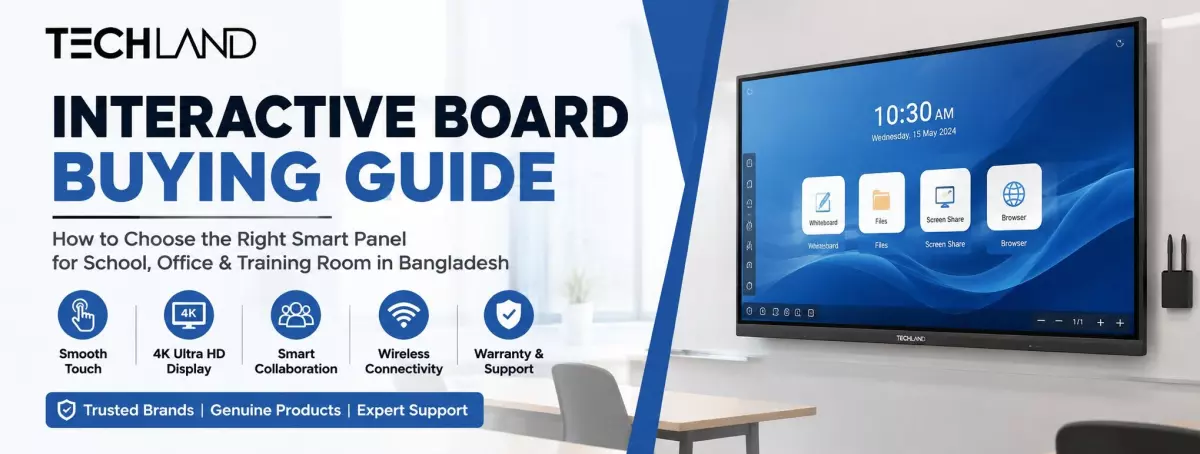
Interactive Board Buying Guide
In Bangladesh, the traditional whiteboard-and-marker setup is gradually being replaced in classrooms, meeting rooms, and training centers. More schools, businesses, and institutions are now using interactive boards that let teachers and presenters write, draw, share files, play videos, and join video calls from a single touchscreen. If you're planning to buy one for a school, office, or training room, this article will help you understand the key things to consider before making a decision, including screen size, touch technology, display quality, features, price, and warranty support.
What Is an Interactive Board
An interactive board, also called an interactive flat panel or smart board, is a large touchscreen display that replaces the traditional whiteboard and the projector, speaker, and computer. A teacher or presenter can write on the screen with a finger or stylus instead of connecting several separate devices, open a laptop wirelessly, play a video, and save notes for later, all on one panel.
In Bangladesh, the shift to this type of technology has gained momentum over the last few years. Schools need more engaging lessons, corporate offices need faster meetings without cable clutter, and training centres need a setup that works well for both in-person and online sessions. The interactive board fulfills all three needs at the same time, which is why demand for it is ever increasing in Dhaka, Chattogram, and other big cities.
Types of Interactive Boards
Before comparing specifications, it helps to know that not every interactive board works the same way. Two main types dominate the Bangladesh market, and picking the wrong one for your space can waste both money and space.
Interactive Flat Panel Display
This is the version most schools and offices buy today. It is a single all-in-one unit with a built-in Android or Windows operating system, speakers, a camera slot, and a touchscreen, so there is no separate projector to install or bulb to replace. Because everything is packed into one unit, setup takes far less time, and the picture stays sharp under normal classroom or office lighting. If you browse an interactive flat panel collection online, you will notice sizes typically ranging from 55 inches to 98 inches, giving you room to pick based on your hall size.
Interactive Whiteboard With Projector
This older setup combines a touch-sensitive whiteboard surface with a short-throw projector either above or in front of it. Initial cost is usually less, but the running costs can add up over the years, as projector bulbs need replacing from time to time and picture quality can suffer in a brightly lit room. A lot of places that already have a projector go this way to save money up front, but most people buying new prefer the flat panel for the lower maintenance.
Key Factors to Check Before You Buy an Interactive Board
Once you have decided which type is best for your space, the next step is to compare models based on the features that really matter in everyday use. Here is what to look at closely.
Screen Size and Viewing Distance
Size should fit the room, not just the budget. The rule of thumb used by the installers in Bangladesh is the diagonal size of the screen multiplied by about three to get the maximum distance at which the content is still readable. So a 65-inch panel is comfortable for a mid-sized classroom or meeting room, while a hall that seats more than forty people typically needs a 75-inch or larger interactive flat panel to keep the back rows engaged. One of the most common mistakes first-time buyers make is buying a screen that is too small for the room.
Touch Technology
Two touch technologies are common on interactive boards sold here: infrared and capacitive. Infrared touch uses a grid of sensors around the screen edge to detect a finger, pen, or almost any object, which makes it forgiving and affordable. However, touch response can feel slightly less smooth than premium alternatives. Capacitive touch, the same technology used in smartphones, reacts faster and supports smoother multi-touch gestures, but panels with this technology usually sit at a higher price point. For a school that mainly needs writing and basic annotation, infrared touch is often enough. For a design studio or a corporate space that relies on precise gestures, capacitive touch is worth the extra cost.
Display Resolution and Panel Quality
Most interactive boards available today come in Full HD or 4K UHD resolution. A 4K panel delivers noticeably sharper text and images, which matters more on larger screens where pixels can otherwise look stretched. Brightness and anti-glare coating also deserve attention, especially if the room has large windows or overhead fluorescent lighting, since a glossy panel can wash out under strong light.
Operating System and Built-in Software
Many interactive flat panels run on Android with a preloaded whiteboard app, screen mirroring tool, and basic office software, which is enough for day-to-day teaching or presenting without connecting an external computer. Others support a Windows OPS module, essentially a mini PC that slots into the back of the panel, giving you a full desktop experience with software like PowerPoint or Zoom installed natively. If your team already relies on specific desktop software for lessons or presentations, checking OPS compatibility before purchase saves a lot of hassle later.
Connectivity Ports
A good interactive board should offer enough ports to avoid daily cable swapping. Look for HDMI inputs for laptops, USB 3.0 ports for storage devices, a VGA port for older equipment, and built-in Wi-Fi or Bluetooth for wireless screen sharing. If your office frequently hosts guests with different laptops, more input options mean fewer awkward pauses at the start of a meeting.
Brand and After-Sales Support
Interactive boards are a long-term investment, often used daily for years, so the brand's local support matters as much as the specification sheet. Established names such as BenQ, ViewSonic, MAXHUB, Newline, Hikvision, and Dahua have a track record in the Bangladesh market, with dealers who can handle warranty claims and part replacements without long delays. Before finalising a purchase, it is worth confirming warranty length and whether on-site installation support is included, since a panel this large is not something you want to troubleshoot alone.
Best Use Cases for an Interactive Board
Classrooms benefit the most from the writing and annotation tools, letting teachers save notes and revisit them in the next class instead of erasing everything at the end of the period. Corporate offices use interactive boards mainly for meetings, wireless presentations, and video conferencing, cutting down the time wasted connecting laptops and adjusting projectors. Training centres and coaching institutes fall somewhere in between, often needing a mix of writing tools and screen sharing to run both live and recorded sessions. Knowing which use case matters most to you helps narrow down whether you need a simple infrared panel or a fully loaded model with an OPS slot and premium audio.
Choosing the Right Size for Your Room
Size should be based on the room size and seating arrangement rather than personal preference. A 55- to 65-inch panel at comfortable eye level is a good choice for a small meeting room that seats six to eight people. A typical classroom with rows of students typically requires a 65-inch to 75-inch board so that students in the back can still read the screen clearly. Larger auditoriums, training halls, or university lecture rooms should look at panels 86 inches or larger, sometimes with extra speakers to properly cover the acoustics of the room. A common mistake is buying a board that looks fantastic in a showroom but feels too small once it's installed. Measuring the room and average viewing distance before you shortlist models will help prevent this.
Frequently Asked Questions
Is an interactive board better than a projector and whiteboard combo?
For most classrooms and offices, yes. An interactive board saves setup time, avoids projector bulb replacement costs, and delivers a sharper picture, especially in rooms with normal lighting.
Can I connect a laptop to an interactive board wirelessly?
Most modern interactive flat panels support wireless screen mirroring through Wi-Fi or a dedicated app, in addition to standard HDMI and USB connections.
What size interactive board is best for a small office meeting room?
A 55-inch to 65-inch panel is usually enough for a room seating six to ten people, assuming the board is mounted at a reasonable viewing height.
Where Can You Buy an Interactive Board in Bangladesh?
If you are looking to buy a quality interactive board in Bangladesh, you can explore Techland BD's collection of original interactive boards from brands such as LG, BenQ, ViewSonic, MAXHUB, and Newline, along with warranty and installation support.
Discussion
0Leave a Comment
No comments yet
Be the first to share your thoughts
