
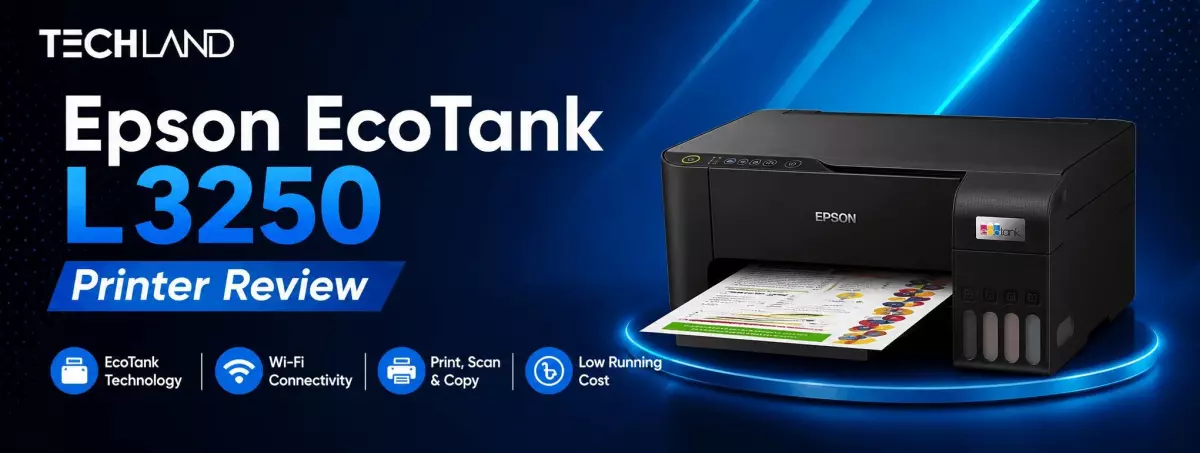
Epson EcoTank L3250 Review
Finding a printer with good print quality, low running costs, and reliable daily performance can be tricky. Fortunately, the Epson EcoTank L3250 has become one of the most popular ink tank printers for home users, students, freelancers and small businesses. Here is an honest Epson EcoTank L3250 review that will help you make a wise purchase decision.
The L3250 does away with traditional cartridge printers and instead uses Epson’s EcoTank refillable technology. This means users can print thousands of pages while dramatically reducing printing costs. It is designed for everyday home and office users and comes with wireless connectivity, mobile printing, and all-in-one functionality.
Whatever the task, be it printing schoolwork, office documents, invoices, reports, photos or creative work, the Epson EcoTank L3250 strikes a good balance between cost and performance.
Epson EcoTank L3250 Overview
The Epson EcoTank L3250 is a compact 3-in-1 multifunction printer for printing, scanning, and copying. It supports USB, Wi-Fi and Wi-Fi Direct connectivity. So you can easily print from desktops, laptops, smartphones, and tablets. The printer is also compatible with the Epson Smart Panel app, allowing users to manage print jobs, check ink levels and perform maintenance directly from their mobile devices. The refillable EcoTank system and borderless photo printing capability make it a great choice for home and small office users.
Design & Build Quality
The first thing you will notice about the Epson EcoTank L3250 is its compact, practical design. The printer is small enough to fit on a desk, so it is ideal for the bedroom, home office, study or small workspace.
The transparent ink tanks are functional and user-friendly and are front-mounted. You can check ink levels easily without opening the printer, and the special ink bottles help reduce spills when refilling.
The body is light, but the overall construction feels solid enough for everyday printing.
Setup & Installation
Setting up the Epson EcoTank L3250 is easy, even for a first-time user. The printer has a simple ink-filling system, easy Wi-Fi setup, and automatic driver installation on most operating systems. With the Epson Smart Panel app, users can complete the entire setup process from a smartphone without complicated configurations, allowing for quick, user-friendly installation.
Print Quality
The Epson EcoTank L3250 can deliver excellent print quality for all sorts of documents and images. Clear, easy-to-read black-and-white prints are perfect for office reports, contracts, invoices, schoolwork, and professional documents. Colour printing is just as impressive, with vibrant and well-balanced colours for presentations, brochures, educational materials, marketing documents, and creative projects. The printer also supports borderless photo printing up to 4R size, allowing users to create colourful family photos, travel memories, greeting cards, and other personal prints with exceptional detail.
Colour Documents
The colours are vibrant, and the printer reproduces them with great accuracy. Charts, brochures, presentations, educational material and marketing documents can all look professional without the use of high colour saturation.
Photo Printing
The Epson EcoTank L3250 can print borderless photos up to 4R size.
Colour balance and detail are impressive for a basic ink tank printer, whether it’s family photos, travel memories, greeting cards, or creative projects.
Scanning Performance
The flatbed scanner with the integrated unit scans documents clearly and accurately. It is very efficient for scanning certificates, passports, identity cards, office documents, educational materials, and photographs without losing fine details. The scanned files can be stored digitally, shared online, or printed again whenever needed, making them ideal for archiving important documents.
Wireless Print Experience
The Epson EcoTank L3250 is quite impressive on the wireless connectivity front. Built-in Wi-Fi, Wi-Fi Direct and USB connectivity allow printing directly from Android smartphones, iPhones, tablets, Windows laptops and Mac computers without the need for physical cables. For added convenience, users can also remotely monitor printer status, check ink levels, perform maintenance tasks, and manage print jobs via the Epson Smart Panel application.
Epson EcoTank Technology
The Epson EcoTank L3250 differs from a standard cartridge printer because it uses large refillable ink tanks that can help you save significantly on printing costs over time. High-capacity tanks deliver impressive page yields and reduce plastic waste and cartridge replacements. Epson’s spill-resistant ink bottle design makes refilling your printer easy, and the clear ink tanks let you monitor your ink levels. This EcoTank system offers an affordable and sustainable printing solution for high-volume printing.
Everyday Performance
The Epson EcoTank L3250 is a reliable option for everyday use in both home and office settings. It can handle school assignments, office paperwork, invoices, reports, presentations, study materials, personal documents, and marketing materials without compromising print quality.However, it is not designed for high-volume commercial printing, but it performs reliably with moderate daily workloads and remains consistent during regular use.
Operating cost
One of the best reasons to buy the Epson EcoTank L3250 is its low running cost. The printer uses refillable ink bottles instead of cartridges, which means users save a lot more on ink in the long run. It offers a high page yield, making it an economical option for anyone who prints frequently. The lower cost per page will be a boon for students, tuition centres, small businesses, and even freelancers.
Who Needs the Epson EcoTank L3250 Printer
The Epson EcoTank L3250 is designed for a wide range of users who need reliable printing, scanning, and copying without high running costs. Its refillable EcoTank system, wireless connectivity, and compact design make it suitable for both personal and professional use.
Students
Students can use the Epson EcoTank L3250 for printing assignments, class notes, research papers, project reports, and study materials. Its low printing cost makes it an excellent choice for those who need to print regularly without spending a lot on ink.
Home Users
For everyday household tasks, the L3250 provides dependable printing, scanning, and copying in one compact device. Whether you need to print bills, official documents, school projects, recipes, or occasional family photos, it delivers consistent performance while taking up very little desk space.
Small Businesses
Small businesses can rely on the Epson EcoTank L3250 for printing invoices, quotations, receipts, reports, business forms, and other office documents. Its low cost per page and wireless connectivity help improve productivity while keeping operating expenses under control.
Teachers & Freelancers
Teachers, tutors, designers, consultants, and other freelancers can benefit from the printer's high-quality document output and affordable running costs. It is ideal for creating educational materials, client proposals, contracts, presentations, certificates, and marketing documents with professional results.
Home Office Professionals
For professionals working from home, the Epson EcoTank L3250 offers a practical all-in-one printing solution. Its wireless printing support, reliable performance, and easy mobile connectivity make it convenient to print documents from laptops, smartphones, or tablets without the need for complex setup.
Maintenance Tips
Easy to maintain, the Epson EcoTank L3250 helps ensure consistent long-term performance. Regular printing prevents the ink in the nozzles from drying out, and genuine Epson ink bottles help keep the print head clean and ensure the best print quality. The printer should be covered when not in use to reduce dust accumulation. The print head should be cleaned only when necessary. In addition, users should also update the printer firmware when new updates are available via the Epson Smart Panel app to improve stability and performance.
Why Buy Epson EcoTank L3250 from Techland BD?
Buy genuine Epson printers from Techland BD with an official warranty, competitive pricing, expert customer support, and nationwide delivery across Bangladesh. Customers can also compare Epson printer models, genuine ink bottles and accessories to choose the best printing solution for their home, office or business.
FAQ
Is Epson EcoTank L3250 suitable for home use?
Yes. It is ideal for students, families, and professionals who need reliable printing, scanning, and copying.
Does Epson EcoTank L3250 support wireless printing?
Yes. It supports Wi-Fi, Wi-Fi Direct, USB connectivity, and mobile printing through the Epson Smart Panel app.
Can Epson EcoTank L3250 print photos?
Yes. It supports high-quality borderless photo printing in sizes up to 4R.
Is Epson EcoTank L3250 good for small businesses?
Yes. It is suitable for invoices, reports, quotations, business documents, and everyday office printing.
Is EcoTank better than cartridge printers?
For regular printing, EcoTank printers are generally more economical because they offer higher page yields, lower running costs, and refillable ink tanks instead of disposable cartridges.
Discussion
0Leave a Comment
No comments yet
Be the first to share your thoughts
