
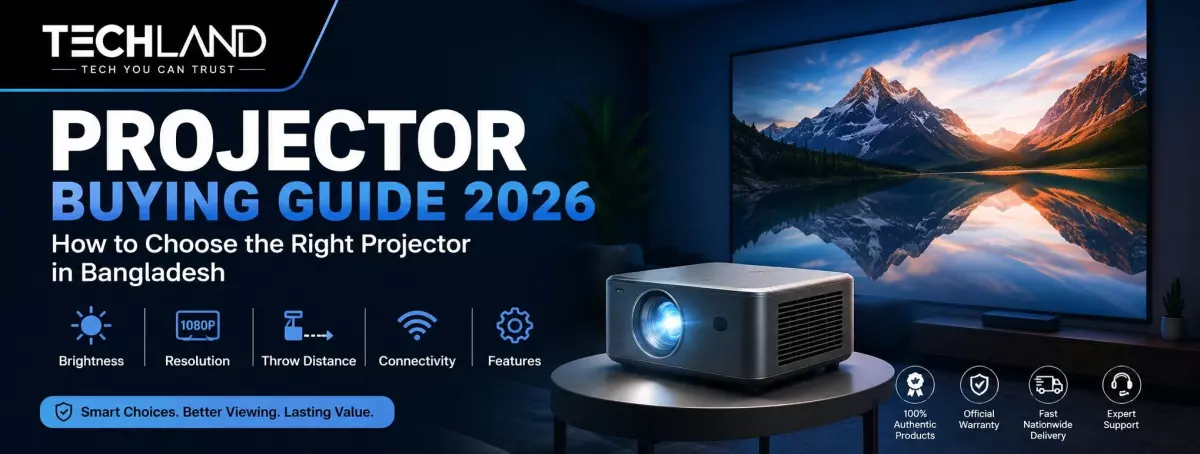
Projector Buying Guide
A projector can turn an ordinary room into a home theatre, make business presentations easier to follow, or let teachers display lessons on a much larger screen. But choosing the right projector is about more than just finding the highest lumen rating or the lowest price. A projector's brightness, resolution, display technology, throw distance, light source, connectivity, and the room you plan to use it in ultimately affect the viewing experience.
A projector that performs well in a dark bedroom can struggle in a bright office. A projector intended for presentations may lack the colour, contrast, or response required for gaming and movies. This projector buying guide explains key specifications in simple terms and helps you understand what to look for before you buy a projector in Bangladesh.
What Is a Projector?
A projector is a display device that uses an imaging system to project light onto a wall or screen, creating a large image. Unlike a television, it can generate a very large picture without a physically large display panel. Modern projectors come in various sizes, resolutions and technologies. You will find compact portable models for casual entertainment, business projectors for presentations, classroom projectors for education, and high-brightness models for professional installations.
Depending on the model, projectors can be of HD, WXGA, XGA, Full HD, WUXGA or 4K resolution. Some models also have smart operating systems, Wi-Fi, Bluetooth, wireless screen mirroring and built-in speakers. Before you compare brands or prices, it is best to know what kind of projector actually fits your needs.
Where Can You Use a Projector?
The best projector for you is largely dependent on your intended use and location. If it is for home entertainment, resolution, contrast, colour reproduction and quiet operation are usually more important. A Full HD or 4K projector can produce a cinema-like experience in a suitable room.
In the office, brightness and readability are more important, since meeting rooms rarely go completely dark. Text, charts and spreadsheets should be legible with some lights on. For classrooms, brightness, ease of operation, reliability and longevity of the light source may be more useful than premium cinema features.
For gaming, resolution, refresh rate, and input lag are more important, as fast response times can affect gameplay. For large venues, brightness, throw distance, lens flexibility, and installation options become major factors.
How Bright Should a Projector Be?
Brightness is one of the most important specs of the projector. It affects how the image appears under different lighting conditions. Most projectors are rated in ANSI lumens for brightness. The higher the ANSI lumen rating, the more visible the image will be in rooms with ambient light. A projector for a dark bedroom does not need to be as bright as a projector for a classroom or conference room. The larger the projected image, the brighter it must be for it to be legible.
As a general thought, a small, dark room might be a good fit for a low-brightness projector, but offices, classrooms, and larger rooms tend to require much more brightness. Don't buy a projector just because it has a high lumen count. Actual viewing experience depends on screen size, room lighting, projection distance, and image quality.
Projector Resolution: HD, Full HD or 4K?
Resolution determines how much detail a projector can display. Higher resolution generally produces a sharper image, especially when the picture is projected onto a large screen.
HD Projector
HD projectors can be suitable for basic entertainment, simple presentations, and users who want an affordable large-screen display.
They are less suitable if you regularly watch detailed movies or display small text.
Full HD Projector
Full HD (1080p) projectors offer a good balance between image quality and cost. They are suitable for movies, sports, gaming, presentations, and general home entertainment.
For many users, Full HD remains a practical resolution because it delivers noticeably sharper images than lower-resolution projectors without the cost of premium 4K models.
4K Projector
4K projectors are for users who want a very large image with more detail. They are attractive for home theatres, high-quality movies, and gaming. But a 4K projector doesn't necessarily translate to a better viewing experience. Source content, brightness, contrast, screen and room environment are other considerations.
DLP vs LCD vs 3LCD Projector
Projector display technology affects image quality, colour reproduction and overall performance.
DLP Projector
DLP is short for Digital Light Processing. A projected image is created using tiny mirrors. DLP projectors enjoy widespread popularity in the business, education, entertainment and professional markets. They are often prized for their sharp images and compact designs.
LCD Projector
LCD projectors use liquid crystal panels to generate the image. They are commonly used for presentations, education and general projection. They can reproduce good colour and are available in different brightness and resolution levels.
3LCD Projector
3LCD technology employs three LCD panels to produce the projected image. It is known for its high colour brightness and colour reproduction. 3LCD is an attractive option for buyers who care about accurate and vibrant colours, especially for presentations and home entertainment. There is no winner in the DLP, LCD and 3LCD battle. The best choice depends on your content, room and budget.
Lamp, LED or Laser Projector?
The light source is another important factor when choosing a projector.
Lamp Projector
Traditional lamp projectors are still widely used in offices, classrooms, and professional environments. They can be a source of high brightness at a reasonable initial cost. The big disadvantage is that projector lamps have a limited life and will eventually need to be replaced.
LED Projector
LED projectors usually have a long light-source life and are available in many compact models. These are especially good for home users and for those who want a portable projector that requires relatively little maintenance.
Laser Projector
Laser projectors deliver long operating life, fast startup, and uniform performance. These are usually marketed in high-end home-theatre and professional-installation models. Although the initial cost is higher, the light source in a laser projector has a longer lifespan, making it attractive for heavy daily use.
Throw Distance: Why Does It Matter?
Throw distance is the distance between the projector lens and the screen necessary to achieve a specific image size. This spec is especially important if you have limited space in your room. A standard-throw projector might need a few feet of space to produce a large image.
A short-throw projector can produce a large image from much closer. Ultra-short-throw projectors can sit very close to the wall or screen and still produce a large image. Before purchasing, measure the distance between the intended projector position and the screen. Check the projector's throw ratio and recommended image size.
Keystone Correction and Lens Shift
A projector will not always be perfectly aligned with the screen. Keystone correction is a digital adjustment made to the projected image when a projector is set at an angle. This is a handy item for portable projectors and for quick setups.
Lens shift is the physical movement of the projected image through the lens. There is no digital correction. It is particularly well suited for permanent installations requiring accurate positioning. If you plan to move your projector around a lot, features such as automatic keystone correction and autofocus can make setup much easier.
What Screen Size Should You Choose?
One of the big benefits of a projector is that it can create a very big image. But bigger is not necessarily better. The ideal screen size depends on the viewing distance, the projector's brightness, the resolution, and the room size.
A moderate image may be more comfortable for a bedroom, but a larger image can work well in a spacious living room or conference room. You can project directly onto a wall, but using a dedicated projector screen will give you more consistent brightness, colour and image quality.
Smart Projector vs Standard Projector
Smart projectors may come with built-in operating systems, Wi-Fi, Bluetooth, streaming apps, and wireless screen mirroring. These features can be helpful since you might not have to plug in a separate streaming device every time you want to watch content.
But smart functionality should not be the main reason to choose a projector. Brightness, resolution, image quality, and connectivity still matter more. For offices and professional settings where the primary source is a laptop, desktop or presentation system, a standard projector might be a better option.
What Connectivity Should a Projector Have?
Connectivity is all about the devices you can connect to your projector. HDMI is one of the most important connections, as it supports laptops, desktops, gaming consoles, streaming devices, and many other modern devices. USB ports can also be convenient for playing compatible media. Some projectors also have VGA for older computers.
Wi-Fi and Bluetooth add some extra convenience on supported models, especially if you want wireless screen mirroring or Bluetooth audio. If you want to connect several devices, find out how many ports it has and what types before buying.
Choosing a Projector for Home Cinema
Image quality should be the priority for films and TV shows. You can have a great large-screen experience with a Full HD projector, or you can go for a 4K model for a premium home theatre setup.
Look for good contrast, true colours, sufficient brightness and quiet operation. If you tend to watch films at night in a dark room, you likely don't need an ultra-bright projector. But spending more money on resolution, contrast, and colour quality could yield better results.
Choosing a Projector for Gaming
A projector can give you a great big-screen experience, but not all projectors are good for gaming. Input lag is important. Lower input lag means the on-screen action responds more quickly to controller or keyboard input.
Another thing to look at is resolution. 4K might offer more detail on a large screen, but for many gamers, Full HD is enough. If you play competitive or fast-paced games, look at the projector's refresh rate and gaming mode, not just the resolution.
Choosing a Projector for Office Presentations
Office projectors have different priorities than home theatre ones. Brightness is important because conference rooms are rarely totally dark. If you have enough ANSI lumens, a projector can maintain a visible presentation even if some lights stay on.
Resolution is also helpful for reading small text, spreadsheets and detailed graphics. For general presentations, WXGA, Full HD, or higher may be suitable, depending on the content. HDMI, VGA, USB, and wireless connectivity can make it easier to connect various office devices.
Choosing a Projector for Classrooms
A classroom projector must be bright enough to be seen from the back of the room. 3,000 ANSI lumens or more can be useful for many classrooms, though the ideal brightness depends on room size, screen size and ambient lighting.
Simple controls, reliable operation, long light-source life and easy installation are also important in educational environments. Teachers and staff can be inconvenienced by a projector that requires a complicated setup every time it is used.
Projectors for Large Events and Professional Spaces
Big conference rooms, auditoriums, and event spaces demand more powerful projection systems. Depending on the screen size and room lighting, the environments may require 4,000 ANSI lumens, 5,000 ANSI lumens or significantly more.
Professional projectors can also be equipped with lens shift, optical zoom, interchangeable lenses, network control and laser light sources. For larger installations, it is important to calculate the needed brightness and throw distance before selecting a model.
Important Projector Features to Consider
Once you understand the basic specifications, several additional features can improve convenience.
Autofocus
Autofocus can automatically adjust the image's sharpness after the projector is moved or turned on. It is especially useful for portable projectors.
Automatic Keystone Correction
Automatic keystone correction can quickly adjust the image's shape when the projector is not perfectly aligned with the screen.
Built-in Speaker
A built-in speaker can be useful for casual viewing and presentations. However, for movies and gaming, an external speaker or sound system can provide a much better audio experience.
Wireless Screen Mirroring
Wireless screen mirroring allows compatible smartphones, tablets, and laptops to display content without requiring a physical video cable.
Zoom
Optical zoom provides greater flexibility when positioning the projector because you can adjust the image size without moving the projector itself.
What Should You Check Before Buying a Projector?
Before you make your final decision, start with the room. Measure the distance available between the projector and the screen. See how much natural and artificial light falls into the room. Choose how big you want the image to be. Then decide what you will show mostly.
If films are your thing, you'll be looking at resolution, contrast, colour and noise level. For business presentations, focus more on brightness, text clarity and connectivity. Brightness, dependability and ease of operation are important in classrooms.
For gaming, you will want to look at input lag, resolution, and refresh rate. Finally, check the warranty and after-sales support. Projectors contain optical and electronic components that may need professional servicing; therefore, it is important to buy from a reputable retailer.
Where to Buy a Projector in Bangladesh?
Projector prices in Bangladesh vary based on resolution, brightness, display technology, light source, features, and intended use.
Don't just choose a projector based on price; make sure its specs match what you really need. A cheap projector might not be bright enough for your room, while an expensive professional one might have features you will never use.
You can browse the available projector collection and compare models based on brightness, resolution, brand, and intended application.
If you are looking specifically for an Epson model, you can explore the Epson projector category.
For BenQ models, the BenQ projector category helps you compare options.
You can also explore ViewSonic projectors for business, education, home and professional requirements.
Frequently Asked Questions About Projectors
Which projector is suitable for home use?
A Full HD LED or smart projector is suitable for many homes. For a premium home theatre, a higher-resolution projector with good contrast and colour reproduction is a better choice.
How many lumens are good for a projector?
The required brightness depends on the room and screen size. Dark rooms need less brightness, while offices, classrooms and large venues require higher ANSI lumen ratings.
Is a 4K projector worth buying?
A 4K projector can be worthwhile for large-screen movies, gaming and premium home theatre setups. For basic presentations, Full HD or lower-resolution models may offer better value.
Is a projector better than a TV?
A projector is better when you want a very large screen, while a TV is generally easier to use in bright rooms. The better option depends on your room and viewing habits.
Which is better, DLP or 3LCD?
Both technologies have their strengths. DLP is known for sharp images and compact designs, while 3LCD is known for strong colour brightness and colour reproduction.
Can a projector be used during the day?
Yes, but room lighting has a major impact. A projector with higher ANSI brightness will generally perform better in a bright environment.
Where Can I Buy a Projector in Bangladesh?
You can buy a genuine projector from Techland BD, where you can compare brands, resolutions, brightness levels, and features to suit your needs and budget.
Discussion
0Leave a Comment
No comments yet
Be the first to share your thoughts
