
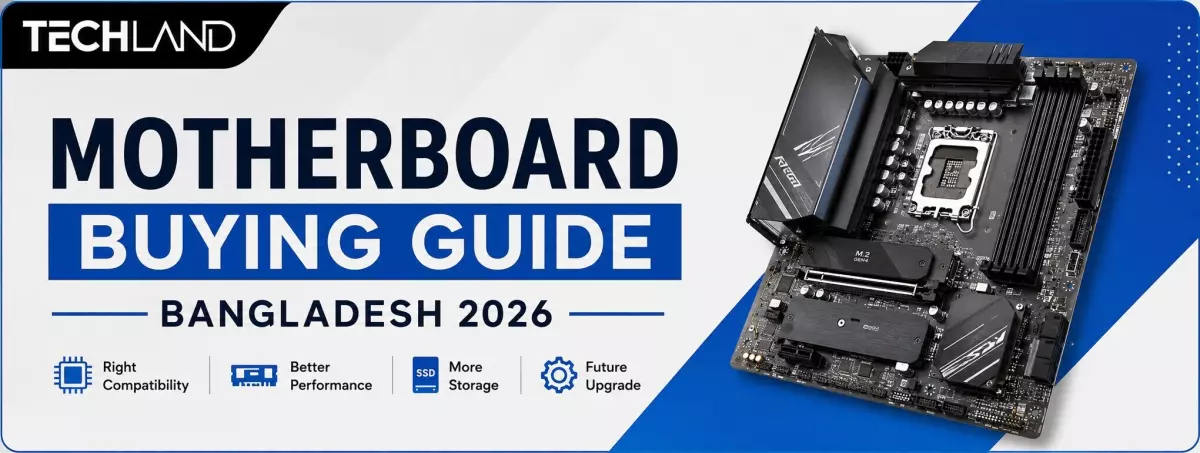
Motherboard Buying Guide in Bangladesh
motherboard is the mainboard that connects the processor, RAM, graphics card, storage, and other parts of a computer. Most people spend more time comparing the CPU, GPU, RAM, and SSD when choosing a PC. But the motherboard is just as important because it determines what parts you can use and how easy it is to upgrade the PC later on.
Picking the wrong motherboard can lead to compatibility issues when building your PC. You could end up with the wrong CPU socket, unsupported RAM, fewer storage slots, or a board that doesn't fit your casing. This motherboard buying guide in Bangladesh will help you understand what to check before you buy a motherboard for your next PC build.
Things You Should Check Before Buying a Motherboard
The right motherboard should match your processor, RAM, casing, and other components. It should also provide enough ports and expansion options for your current needs and future upgrades. Before choosing a motherboard, check the CPU socket, chipset, form factor, RAM support, PCIe slots, storage options and connectivity. These are the major things that decide if a motherboard is good for your Brand PC.
Processor Socket Compatibility
The processor socket is the first thing to check when choosing a motherboard. Intel and AMD processors use different socket platforms, so you cannot install an Intel CPU on an AMD motherboard or an AMD CPU on an Intel motherboard.
Modern Intel processors use platforms such as LGA1851, while previous generations used LGA1700. AMD's newer desktop processors use the AM5 platform, while AM4 motherboards are still available for compatible processors and budget PC builds. The socket alone is not enough. The motherboard chipset and BIOS must also support your exact processor model. Always check CPU compatibility before buying.
Motherboard Chipset Selection
The chipset controls many of the features available on a motherboard. It affects connectivity, expansion options, storage support, and, on compatible platforms, overclocking features.
For a regular office or home PC, you usually do not need an expensive high-end chipset. A gaming PC or workstation may benefit from a motherboard with better power delivery, more M.2 slots and additional expansion options.
For this reason, do not choose a motherboard only by its price. First decide what processor and type of PC you want to build, then choose a chipset that matches your requirements.
Choosing the Right Form Factor
Motherboards are available in different sizes, including ATX, Micro-ATX and Mini-ITX. The right size depends mainly on your PC case and how many components you want to install.
ATX motherboards usually provide more RAM slots, expansion slots and connectivity. Micro-ATX is smaller and works well for many regular and gaming PCs. Mini-ITX is designed for compact PC builds where space is limited.
Your motherboard must fit your casing. Before buying, check which motherboard form factors your PC case supports.
Memory Type and Expandability
RAM compatibility is another important part of any motherboard. Modern motherboards mainly use DDR4 or DDR5 memory, depending on the platform and model.
DDR4 and DDR5 are not interchangeable. A DDR5 motherboard requires DDR5 RAM, while a DDR4 motherboard requires DDR4 RAM.
You should also check the number of RAM slots and maximum supported memory. Four Desktop RAM slots can be useful if you plan to upgrade your desktop RAM later.
For example, you can start with two RAM sticks and use the remaining slots for a future memory upgrade. This gives you more flexibility without replacing your existing RAM immediately.
Graphics Card and PCIe Support
The graphics card normally connects to the motherboard through a PCIe x16 slot. If you are building a gaming PC, check the motherboard's PCIe generation and available expansion slots.
PCIe 4.0 is already common in modern PCs, while newer motherboards also support PCIe 5.0 on compatible slots. The actual benefit depends on the hardware you are using.
You should also check the number of PCIe slots if you plan to install additional expansion cards such as a capture card, sound card, or network adapter.
Storage Interface and M.2 Slots
If you are using an NVMe SSD, check how many M.2 slots the motherboard has. A motherboard with multiple M.2 slots gives you more room to add storage later.
You should also check the supported PCIe generation for the M.2 slots. Some motherboards provide PCIe 4.0 M.2 support, while newer models may offer PCIe 5.0.
SATA ports are also important if you plan to use SATA SSDs or hard drives. A PC with several storage drives will benefit from having enough SATA and M.2 connections.
Connectivity Ports and Peripherals
The available ports can make a big difference in everyday PC use. Before buying a motherboard, check the rear I/O panel and internal headers.
Look for the USB ports you need, including USB 3.x and USB Type-C. If you use a wired network, check the LAN port. If you want wireless connectivity without a separate adapter, consider a motherboard with built-in Wi-Fi and Bluetooth.
You should also check the available HDMI or DisplayPort outputs if you plan to use the processor's integrated graphics.
Cooling Fan and RGB Headers
A cooling fan becomes more important when you are building a gaming PC or using a powerful processor. Check how many fan headers the motherboard provides and whether they support PWM control.
If you want RGB lighting, look for the appropriate RGB or ARGB headers. These allow compatible fans, strips, and other components to connect directly to the motherboard.
You do not need a motherboard with a large number of headers for a basic PC. But for a gaming setup with multiple fans and RGB components, having enough headers can make installation much easier.
Best Motherboard Brands Available in Bangladesh
Brand is an important consideration when buying a motherboard, but it should not be the only deciding factor. You should also compare the chipset, features, warranty, compatibility and price of the specific model.
In Bangladesh, popular motherboard brands include GIGABYTE, MSI, ASUS, ASRock and COLORFUL. Each brand offers different models for budget PCs, gaming systems and high-performance builds.
If you are looking for a board for an Intel processor, you can compare different models in Techland BD's Intel Motherboard collection.
GIGABYTE Motherboards
GIGABYTE offers motherboards for both Intel and AMD platforms across different price ranges. Its models include options for basic desktop PCs as well as gaming and performance-oriented builds.
When choosing a GIGABYTE motherboard, check the exact chipset, RAM support, M.2 slots, VRM design, and connectivity rather than selecting a model based only on the brand.
MSI Motherboards
MSI is well known for its gaming-focused motherboards, but the brand also offers models for regular desktop and budget PC builds.
MSI motherboards are available for different Intel and AMD platforms. Buyers should compare the specifications of individual models to find the right balance between features and price.
ASUS Motherboards
ASUS offers motherboards for entry-level, mainstream and high-performance PC builds. Some models focus on gaming, while others are designed for general desktop use.
If you are considering an ASUS motherboard, check the CPU support, RAM compatibility, storage slots, networking and BIOS features before making a decision.
ASRock Motherboards
ASRock is another popular option for buyers looking for useful features at a competitive price. Its motherboard lineup includes models for budget systems as well as gaming and performance builds.
For a budget-conscious PC builder, comparing ASRock Motherboards with other motherboards using the same chipset can help identify the better-value option.
Common Errors People Make While Buying Motherboards
Many motherboard problems happen because buyers focus on one specification and ignore compatibility with the rest of the PC.
A motherboard may look attractive because of its price, design or features, but it may not be suitable for the processor, RAM or casing you already have.
Here are some of the most common mistakes to avoid when buying a motherboard.
Not Checking CPU Compatibility
One of the biggest mistakes is buying a motherboard without checking whether it supports the processor. The CPU socket, chipset, and BIOS version can all affect compatibility. Always check the motherboard's supported CPU list before completing your purchase.
Not Checking M.2 and SATA Slots
Storage expansion is easy to overlook when buying a motherboard.If you plan to use multiple NVMe SSDs or hard drives, check the number of M.2 and SATA ports before buying. A board with limited storage connectivity can become inconvenient when you want to upgrade later.
Ignoring VRM and Power Delivery
Power delivery matters more when using a powerful processor.
A motherboard with a suitable VRM design and adequate cooling can provide more stable power during demanding workloads. This is particularly important for high-end gaming PCs and workstations.
Forgetting BIOS Support
A motherboard may have the correct socket but still require a particular BIOS version to support a newer CPU.
Check the manufacturer's CPU support list before buying. Features such as BIOS Flashback can also be useful when updating the BIOS.
How to Choose a Motherboard for Your PC Build
The best motherboard depends on what you want to do with the computer.
For an office PC, focus on CPU compatibility, reliable performance, sufficient RAM support, storage, and the ports you actually need. There is usually no reason to pay extra for features you will never use.
For a gaming PC, look for good CPU support, suitable VRM, DDR4 or DDR5 compatibility, PCIe support, M.2 slots and reliable networking.
For video editing and other demanding workloads, higher RAM capacity, multiple storage slots and stronger power delivery can be more useful.
For a compact PC, focus on Mini-ITX or Micro-ATX compatibility and check the case size carefully before buying.
If you are planning a complete PC build, using a PC Builder can also make it easier to match the motherboard with the processor, RAM, storage, and other components.
Which Motherboard Should You Actually Buy?
Choose a motherboard based on your CPU, RAM, storage, graphics card, and future upgrades. For office PCs, a basic model is enough. Gaming and high-performance PCs may need better VRM, PCIe support, M.2 slots, and connectivity.
Instead of buying the most expensive model, choose one that gives you the features your PC actually needs. Check Techland BD's motherboard collection to compare available models, specifications, and prices.
FAQ
Can I use an Intel CPU on an AMD motherboard?
No. Intel and AMD processors use different socket platforms. You need an Intel-compatible motherboard for an Intel CPU and an AMD-compatible motherboard for an AMD CPU.
What is the difference between DDR4 and DDR5 motherboards?
DDR4 and DDR5 are different memory standards. A motherboard designed for DDR4 requires DDR4 RAM, while a DDR5 motherboard requires DDR5 RAM. They are not interchangeable.
How do I choose the right motherboard for my CPU?
First, check the CPU socket. Then check the supported chipset and BIOS version for your processor. After that, consider RAM, storage, PCIe slots, connectivity, and future upgrade requirements.
Does motherboard brand matter?
Brand can matter for build quality, features, warranty and after-sales support, but the specific model is more important. Compare the motherboard's chipset, power delivery, connectivity and compatibility before buying.
How many RAM slots should a motherboard have?
Two RAM slots can be enough for a basic PC, while four slots provide more flexibility for future upgrades. Choose according to your current memory requirement and planned upgrades.
Discussion
0Leave a Comment
No comments yet
Be the first to share your thoughts
