
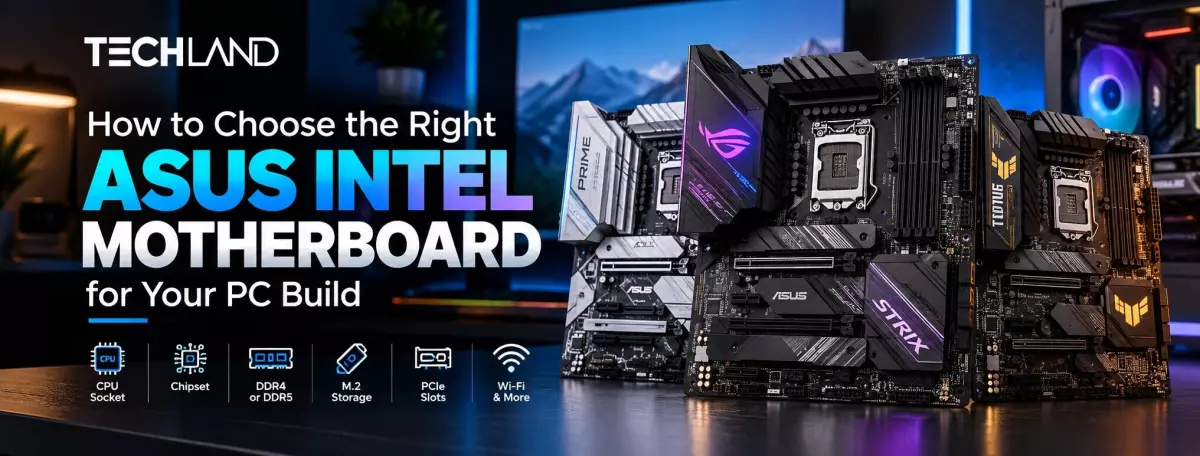
How to Choose the Right ASUS Intel Motherboard
Choosing a motherboard is an important step when building a new PC. The processor may get most of the attention, but the motherboard connects almost every major component in the system. It affects which CPU you can use, what type of RAM you need, how much storage you can add, and which upgrades are possible later.
ASUS has a wide range of Intel motherboards for different types of users. Some are suitable for basic home and office computers, while others are designed for gaming and more demanding PC builds. The right choice depends on your processor, budget, RAM, storage, graphics card, and the features you actually need. Instead of choosing a motherboard only because it is expensive or has more features, it is better to start with your PC requirements and compare the models that match them.
Start With Your Intel Processor
The processor should be the first thing you check when choosing an ASUS Intel motherboard. Intel uses different CPU sockets across its processor generations, so not every Intel processor will work with every ASUS motherboard.
For example, many compatible 12th, 13th, and 14th Gen Intel desktop processors use the LGA1700 platform. Newer Intel Core Ultra Series 2 desktop processors use the LGA1851 platform. These sockets are different, so a motherboard designed for one platform cannot simply be used with a processor made for the other.
If you already have an Intel processor, check its exact model before choosing the motherboard. If you are building a new PC, decide on the processor first and then look for an ASUS motherboard that officially supports it.
Choose the Right Chipset
Once you know which processor you are using, the next thing to consider is the chipset. The chipset affects the features and expansion options available on the motherboard.
ASUS offers different Intel motherboard chipsets for different types of PC builds. H-series models can be suitable for simpler computers, while B-series motherboards can offer more flexibility for general-purpose and gaming systems. Z-series models are generally aimed at higher-end builds where additional features and expansion options may be useful.
You do not always need a high-end chipset. If your PC is mainly used for browsing, office work, study, or basic applications, a simpler motherboard may be enough. For a gaming PC or a more demanding system, you may want additional storage, connectivity, and expansion options.
Decide Between DDR4 and DDR5
RAM compatibility is another important part of choosing an ASUS Intel motherboard. Depending on the model and platform, ASUS offers motherboards with DDR4 or DDR5 memory support.
DDR4 and DDR5 are different memory standards. You cannot install DDR4 RAM into a DDR5 motherboard or DDR5 RAM into a DDR4-only motherboard. This means you should decide which RAM you want to use before buying the motherboard.
If you already have RAM and want to reuse it, check its memory type first. If you are building a new PC, compare the motherboard and RAM together. This can help you understand the total cost of the platform rather than looking at the motherboard price alone.
You should also check the number of RAM slots and the maximum supported memory. A motherboard with more slots can give you more flexibility when you want to upgrade the RAM later.
Check M.2 and Storage Support
Storage is another area worth checking before you buy. Most modern PC builds use NVMe SSDs for the operating system, applications, and games. These SSDs normally connect through M.2 slots on the motherboard.
Look at how many M.2 slots the ASUS motherboard provides. One slot may be enough for a basic computer, but multiple slots can be useful if you plan to add another SSD later.
You should also check the SATA ports if you want to use SATA SSDs or hard drives. If you are upgrading an existing PC, this becomes even more important because you may want to keep your current storage drives.
Choosing a motherboard with enough storage connections can make future upgrades easier without replacing the entire board.
Consider Your Graphics Card
If you are building a gaming PC, the motherboard needs to work properly with your graphics card. Check the available PCIe slots and make sure the board provides the expansion support you need.
The physical size of the graphics card also matters. Some modern GPUs are large and can cover more than one expansion slot. This can affect the space available for other PCIe devices.
You should also consider the case and motherboard layout together. A large graphics card inside a small PC case can create clearance problems even when the motherboard and GPU are technically compatible.
For a PC without a dedicated graphics card, these requirements may be simpler. Your choice can then focus more on the processor, RAM, storage, and connectivity.
Choose the Right Motherboard Size
ASUS Intel motherboards are available in different form factors, including ATX, Micro-ATX, and Mini-ITX. The size you choose depends on your case and how much expansion space you need.
ATX boards are larger and usually provide more room for RAM, storage, PCIe cards, and other components. Micro-ATX boards are smaller and can be useful for compact builds while still providing several expansion options.
Mini-ITX motherboards are designed for smaller PC builds where saving space is important. They can be useful for compact gaming PCs or small home computers, but you may have fewer expansion options.
Before buying, check the motherboard size supported by your PC case. The motherboard and case need to be compatible.
Do You Need Wi-Fi and Bluetooth
Not every ASUS Intel motherboard includes built-in Wi-Fi. Some models have Wi-Fi and Bluetooth, while others are designed mainly for wired Ethernet connections. If your PC will sit close to your router and you are comfortable using an Ethernet cable, built-in Wi-Fi may not be necessary. If you need wireless internet, choosing a motherboard with Wi-Fi can make the setup easier.
Bluetooth can also be useful for wireless headphones, keyboards, mice, controllers, and other devices. But you should always check the exact specifications of the motherboard because wireless features vary from model to model.
Choose a Motherboard Based on Your PC Usage
Your intended use should have a direct effect on your motherboard choice. A computer used for office work does not need the same motherboard as a gaming or high-performance PC.
For a home or office computer, focus on processor support, enough RAM, SSD support, USB ports, networking, and the other connections you use regularly. There is little reason to pay for features that you will never use.
A gaming PC may need more PCIe expansion, multiple M.2 slots, faster memory support, better networking, and enough connectivity for gaming accessories. The motherboard should also match the processor and graphics card you plan to use.
For a high-performance workstation, storage and memory expansion can become more important. If you expect to install several SSDs, add more RAM, or use additional expansion cards, check the motherboard's available slots before buying.
Check the ASUS Intel Motherboard Price in BD
The ASUS Intel Motherboard Price in BD varies depending on the chipset, CPU socket, RAM support, form factor, connectivity, and other specifications. Basic models generally cost less, while higher-end models can cost considerably more.
Price should not be the only thing you compare. Two motherboards can have very different prices because one may offer more M.2 slots, Wi-Fi, better connectivity, more RAM support, or a different chipset.
If you are comparing models in Bangladesh, check the specifications alongside the price. You can explore the available ASUS Intel Motherboard Price in Bangladesh and compare different models at TechLand BD.
Future Upgrades
You do not need to plan every upgrade you might make years from now, but some basic planning can be useful. Think about whether you may add more RAM, install another SSD, upgrade your graphics card, or add an expansion card later. Then check whether the motherboard has enough available slots and connections.
For example, if you expect to add another NVMe SSD later, having an additional M.2 slot can be useful. If you think you may need more RAM, check the number of memory slots and maximum supported capacity. A little planning before buying can save you from replacing the motherboard during a future upgrade.
What to Check Before Buying an ASUS Intel Motherboard
Before placing your order, compare the motherboard with every major component in your PC. Start with the processor and socket, then check the chipset and RAM type. After that, look at M.2 and SATA storage support, PCIe slots, graphics card compatibility, motherboard size, Wi-Fi, Bluetooth, USB ports, and other connections.
Also check the PC case and CPU cooler compatibility. A motherboard can support your processor but still create problems if the case or cooling setup does not match. You do not need every available feature. Focus on the features that match your current PC and the upgrades you are likely to make.
Frequently Asked Questions
Which ASUS motherboard should I choose for an Intel processor?
It depends on your Intel processor, RAM, storage, budget, and intended use. Start by checking the CPU socket and supported processor generation.
Can I use DDR4 RAM on a DDR5 ASUS motherboard?
No. DDR4 and DDR5 are different memory standards. You need to choose a motherboard that supports the type of RAM you plan to use.
Do ASUS Intel motherboards have built-in Wi-Fi?
Some models include Wi-Fi and Bluetooth, while others do not. Check the specifications of the exact motherboard before buying.
How many M.2 slots do I need?
One M.2 slot can be enough for a basic PC. If you plan to use multiple NVMe SSDs, choose a motherboard with additional M.2 slots.
What should I check before buying an ASUS Intel motherboard?
Check the CPU socket, chipset, RAM type, RAM capacity, M.2 slots, SATA ports, PCIe slots, motherboard size, Wi-Fi, USB ports, and compatibility with your other PC components.
Discussion
0Leave a Comment
No comments yet
Be the first to share your thoughts
