
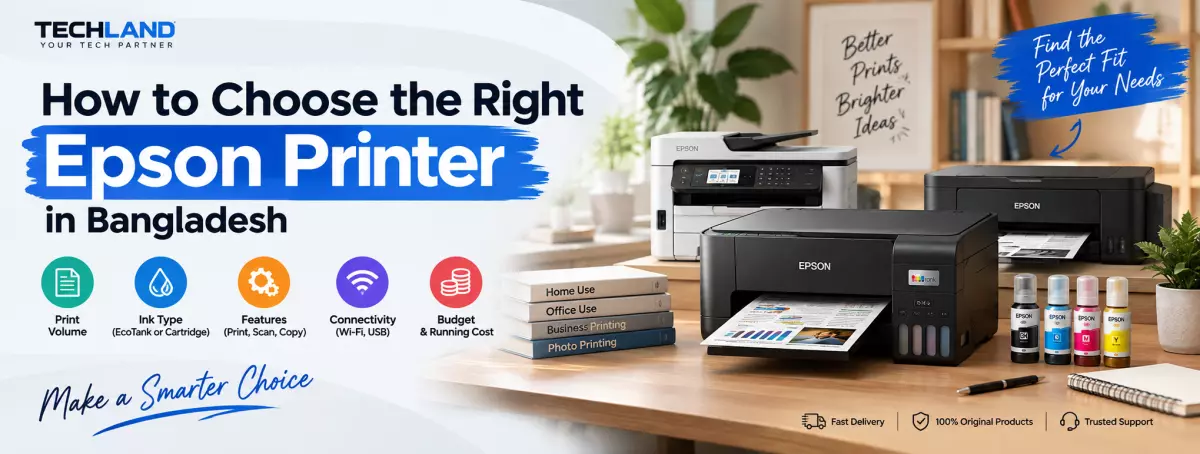
How to Choose the Right Epson Printer in Bangladesh
Choosing an Epson printer is not simply about finding the model with the lowest price. The right printer depends on what you print, how often you print, whether you need scanning or copying, and how much you want to spend on ink over time. Epson offers different types of printers for home users, offices, photographers, and professional applications, so the features that matter can vary significantly from one model to another.
If you are looking for an Epson printer in Bangladesh, start by understanding your actual printing requirements. A student printing assignments occasionally does not need the same type of printer as a busy office that produces hundreds of pages every week.
Start With What You Actually Print
The first thing to consider is the type of documents you normally print. For everyday documents, school assignments, forms, invoices, and occasional colour printing, a basic inkjet or all-in-one printer may be enough. If you regularly print a large number of pages, however, ink capacity and running cost become much more important.
For office use, features such as print speed, paper capacity, automatic document feeding, duplex printing, and network connectivity can make a noticeable difference. If you work with photographs, graphics, or other colour-sensitive materials, print quality and supported paper types should receive more attention.
Epson EcoTank or Cartridge-Based Printer?
The ink system is one of the most important factors when choosing an Epson printer. Epson EcoTank printers use refillable ink tanks instead of conventional ink cartridges. This design is particularly relevant for people who print regularly and want to reduce the frequency of ink replacement.
An EcoTank printer can make sense for a home office, small business, educational setup, or family that prints frequently. However, not every user needs a high-capacity ink tank system. If you only print a few pages occasionally, a simpler cartridge-based model may be sufficient.
Think About Your Monthly Print Volume
Your expected print volume can help narrow down the right Epson printer. Someone printing 20 or 30 pages a month has very different requirements from an office printing hundreds or thousands of pages. With higher print volumes, the cost and availability of replacement ink become more important.
For frequent printing, look at the ink capacity, estimated ink yield, print speed, paper handling, and availability of replacement ink. For occasional printing, you may not need to spend more on features designed for heavy workloads.
This is also why comparing only the purchase price can be misleading. A printer that costs less initially may not necessarily be the most economical option if its consumables are expensive for your particular usage.
Check the Print Speed
Print speed becomes more important when multiple people use the same printer or when you regularly print long documents.
When comparing models, do not look at a single speed number without checking what it represents. Black-and-white and color printing can have different speeds, and real-world output can vary depending on the document, print settings, and paper type.
For occasional home printing, moderate speed may be perfectly adequate. For office environments, faster printing can reduce waiting time when several documents need to be produced.
Consider Connectivity
Think about how you will send documents to the printer. USB connectivity can be enough for a single computer, but Wi-Fi can be more convenient when several devices need to share the printer. Some users may also need Ethernet connectivity for an office network or mobile printing support for smartphones and tablets.
Choose the Right Paper Size
A4 is sufficient for most everyday documents, but some printing tasks require larger formats. If you work with drawings, posters, marketing materials, photographs, or other large documents, check the printer's supported paper sizes before buying. Epson also offers models designed for larger-format printing, so the required paper size can significantly narrow down your options.
Pay Attention to Duplex Printing and the ADF
Two features that can be especially useful in an office are automatic duplex printing and an automatic document feeder.
Duplex printing allows the printer to print on both sides of compatible paper, which can be useful for reports, documents, and other multi-page materials.
An automatic document feeder, or ADF, can make scanning and copying multiple pages much easier because you do not need to place each sheet on the scanner glass individually.
Compare Epson Printer Prices in Bangladesh With Running Costs
When comparing different models, consider the price of replacement ink, expected printing volume, paper handling, and the features included with the printer. Two printers with similar purchase prices can have very different long-term costs depending on their ink systems and your printing habits.
For regular printing, an ink tank model may be worth considering because of its refillable design. For light printing, paying more for a high-capacity system may not be necessary.
Original Ink and Long-Term Maintenance Matter
Before buying an Epson printer, check the availability and price of the correct replacement ink for that model.
Ink availability is particularly important in Bangladesh because your printer will eventually require replacement consumables. Checking the ink model and approximate cost before purchasing can help you estimate the long-term expense.
You should also consider warranty coverage and seller support. A printer is a long-term purchase, so after-sales support can become important if you encounter a hardware or printing issue.
Which Epson Printer Type Fits Your Needs
Different users need different types of Epson printers. For occasional home printing, a basic printer can be enough if you mainly print documents and do not require advanced features.
For regular home or home-office printing, an EcoTank model can be worth considering if you want a refillable ink system and expect to print frequently.
For office environments, look more closely at print speed, paper capacity, automatic document feeding, duplex printing, networking, and overall workload handling.
For photography or creative work, focus more on color output, supported media, print resolution, and compatibility with the paper types you plan to use.
The right choice depends on the relationship between your printing requirements, running costs, and available budget.
What to Check Before Buying an Epson Printer
Before placing an order, compare the features that directly affect how you will use the printer. Check the printer type, expected monthly print volume, ink system, print speed, paper size, connectivity, and whether you need scanning, copying, or duplex printing.
Also check the replacement ink required for the specific model and its availability in Bangladesh. If you are buying a printer for an office, consider features such as paper capacity, automatic document feeding, and network connectivity. For home use, a simpler model may be enough if your printing volume is low.
Frequently Asked Questions
Which Epson printer is best for home use?
The right Epson printer for home use depends on your printing volume and whether you need features such as scanning and copying. A basic model may be enough for occasional printing, while an EcoTank multifunction printer can be more suitable for regular use.
Is an Epson EcoTank printer worth buying?
An EcoTank printer can be a practical choice for users who print regularly and prefer a refillable ink system. The right model still depends on your print volume, required features, and budget.
What should I check before buying an Epson printer?
Check the printer type, ink system, print speed, expected workload, paper size, connectivity, duplex printing, scanning and copying features, replacement ink cost, and warranty.
Should I buy an Epson ink tank or cartridge printer?
Consider an ink tank model if you print regularly and want a refillable ink system. If you print only occasionally, a cartridge-based model may be sufficient depending on the model and its running costs.
Where can I check Epson Printer Price in Bangladesh?
You can compare current Epson printer models and prices through the Epson printer category at TechLand BD and select a model based on your printing requirements and budget.
Discussion
0Leave a Comment
No comments yet
Be the first to share your thoughts
