
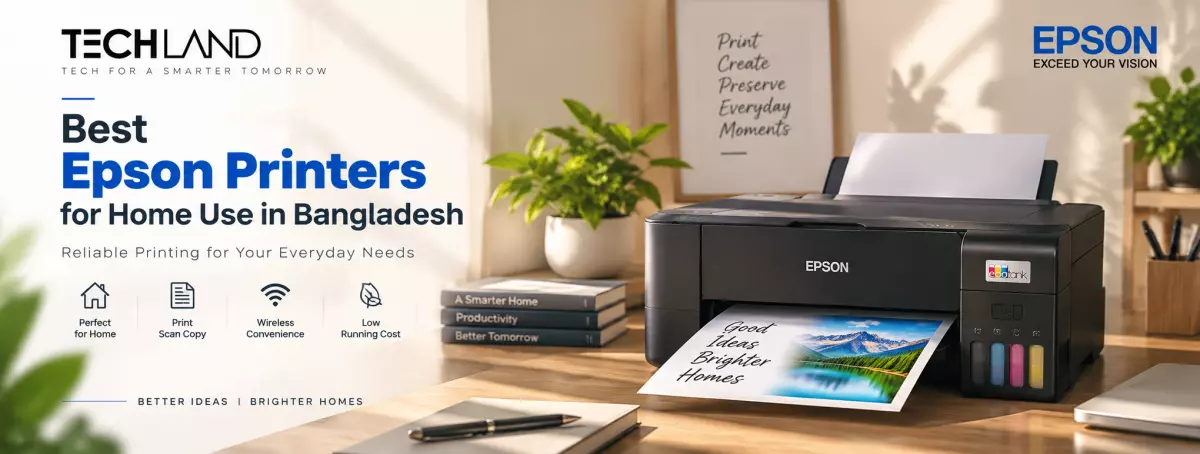
Best Epson Printers for Home Use in Bangladesh
Choosing a printer for home use is easier when you start with your actual printing needs. Some people only print documents and school assignments, while others need to scan, copy, print photos, or connect several devices wirelessly. Epson offers different home and EcoTank models with varying features, so the right choice depends on how you plan to use the printer.
If you are checking the Epson Printer in Bangladesh, it is worth comparing the features and running costs of each model instead of looking at the purchase price alone.
What Makes an Epson Printer Suitable for Home Use
A home printer should be convenient for everyday tasks such as printing documents, school projects, forms, photos, and other personal files. For many households, an all-in-one printer is useful because it combines printing, scanning, and copying in one device.
Epson's EcoTank range is particularly relevant for home users who print regularly. EcoTank printers use refillable ink tanks, which can reduce the need for frequent cartridge replacement. Epson's current EcoTank Home range includes models such as the L3210, L3250, L3350, L3256, L3360 and others.
Before choosing a model, consider four things: how much you print, whether you need Wi-Fi, whether you need scanning and copying, and whether automatic two-sided printing is important.
Epson EcoTank L3210 for Basic Home Printing
The Epson EcoTank L3210 is designed as a compact multifunction printer with print, scan, and copy functions. Epson lists it as a home printer and gives it a standard paper capacity of up to 100 sheets. It also supports borderless photo printing up to 10 × 15 cm.
The L3210 can make sense for a home user who mainly prints from a computer and wants a straightforward printer for documents, assignments, forms, and occasional color printing.
Its flatbed scanner supports documents up to A4 size, with optical scanning resolution up to 600 × 1200 dpi. For someone who does not need wireless printing, this type of simple setup can cover many everyday home requirements.
Epson EcoTank L3250 for Wireless Home Printing
If you want to print from different devices around the house, the Epson EcoTank L3250 is worth considering. The L3250 provides print, scan, and copy functions along with Wi-Fi and Wi-Fi Direct. Epson also lists mobile and cloud printing services for this model, making wireless printing more convenient for compatible phones, laptops, and other devices.
This makes the L3250 particularly relevant for families, students, and people working from home who do not want to keep a USB cable connected to one computer.
Epson specifies a standard paper capacity of 100 sheets and supports paper sizes including A4, A5, A6, B5, Letter, envelopes, and several photo sizes. If wireless connectivity is one of your main requirements, compare the L3250 with other Wi-Fi-enabled Epson printers before making a purchase.
Epson EcoTank L3350 for Modern Home Workspaces
The Epson EcoTank L3350 is another model in Epson's current EcoTank Home range. Epson describes the L3350 as offering print, copy, and scan functions with Wi-Fi connectivity and Epson Smart Panel support. A model like this can be useful for a home office or family environment where wireless printing and mobile setup are important.
When comparing the L3350 with older or simpler models, look at the exact connectivity options, including features, ink system, and current local price. Product availability can change, so checking the current specifications before buying is important.
Epson EcoTank L4260 for Automatic Duplex Printing
Some home users print long documents, assignments, reports, or study materials and want to use both sides of the paper automatically. In that case, the Epson EcoTank L4260 is a model worth considering.
Epson lists the L4260 as a multifunction home printer with print, scan, and copy functions, Wi-Fi Direct, an LCD screen, and automatic duplex printing. Its specified duplex speed is up to 6 ipm for monochrome and 4 ipm for color.
The L4260 also has a 100-sheet standard paper capacity and supports common paper sizes including A4, A5, A6, B5, Letter, and photo paper sizes. For home users who regularly print multi-page documents, automatic duplex printing can be more useful than simply having a higher maximum print speed.
Which Epson Printer Is Right for Your Home?
Different home users can have very different requirements. If you mainly need basic print, scan, and copy functions and usually work from one computer, the Epson L3210 is a model to compare. If you want wireless printing from laptops and mobile devices, the Epson L3250 provides Wi-Fi and Wi-Fi Direct.
If you want a newer EcoTank Home option with Wi-Fi and mobile-oriented features, you can also compare models such as the Epson L3350.
If automatic two-sided printing is important for your home documents, the Epson L4260 offers automatic duplex functionality. This approach is more useful than simply asking which printer is the best because the right model depends on the features you actually need.
Epson Printer for Students at Home
Students often need to print assignments, notes, project materials, forms, and occasional images. An all-in-one Epson printer can be useful because scanning and copying are available alongside printing.
For basic requirements, compare models such as the L3210. If students frequently print from laptops or smartphones, a Wi-Fi model such as the L3250 may be more convenient. Epson itself describes the L3210 and L3250 as home models suitable for families and students.
The amount of printing also matters. If several students in a household print regularly, an EcoTank model can be considered because of its refillable ink system.
Epson Printer for Work From Home
Working from home can require printing invoices, reports, forms, contracts, applications, and other documents. For this type of use, look beyond basic print quality. Wi-Fi connectivity can make it easier to share the printer between a laptop and other household devices. Scanning and copying can also be useful when dealing with signed documents or physical paperwork.
If you frequently print documents on both sides of the paper, automatic duplex printing is another feature worth considering. The L4260 is one Epson home model that provides this function.
Consider Ink and Running Costs
The purchase price is only one part of the cost of owning a printer. Before buying, check which ink bottles the printer uses and whether the correct replacement ink is readily available. Also consider how many pages you expect to print each month.
Epson states that several EcoTank Home models are designed around refillable ink tanks and highlights their low-cost printing approach. For example, Epson lists the L3210 and L3250 with included black and color ink yields of up to 8,100 and 6,500 pages respectively under its stated testing conditions. Actual page yield can vary depending on what you print, print settings, maintenance, and other factors, so treat manufacturer yield figures as a reference rather than a guarantee.
What to Check Before Buying an Epson Printer for Home
Before choosing a model, check whether it provides the features you will actually use. Look at print, scan, and copy functions if you need an all-in-one device. Check Wi-Fi if you want wireless printing. Consider automatic duplex printing if you regularly print on both sides of the paper.
It is also worth checking paper capacity, supported paper sizes, ink availability, print speed, scanner specifications, warranty, and the current Epson printer price in Bangladesh.
If you already have a specific model in mind, comparing its specifications with one or two alternatives can help you avoid paying for features that you do not need.
Frequently Asked Questions
Which Epson printer is good for home use in Bangladesh?
The right model depends on your requirements. The Epson L3210 can suit basic print, scan, and copy needs, while the L3250 is worth considering when Wi-Fi and wireless printing are important. The L4260 adds automatic duplex printing for users who regularly print double-sided documents.
Is Epson EcoTank good for home use?
Epson EcoTank printers can be suitable for home users who print regularly and prefer a refillable ink tank system. The appropriate model depends on your printing volume, connectivity needs, and required features.
Which Epson printer is suitable for students?
Students can consider an all-in-one Epson printer for assignments, notes, projects, scanning, and copying. The L3210 is a basic option, while the L3250 adds Wi-Fi and Wi-Fi Direct for wireless printing.
Is Wi-Fi important in a home printer?
Wi-Fi is useful if you want to print from multiple computers, laptops, or compatible mobile devices without connecting the printer to one computer by USB. If you only print from one computer, USB connectivity may be sufficient.
Discussion
0Leave a Comment
No comments yet
Be the first to share your thoughts
