
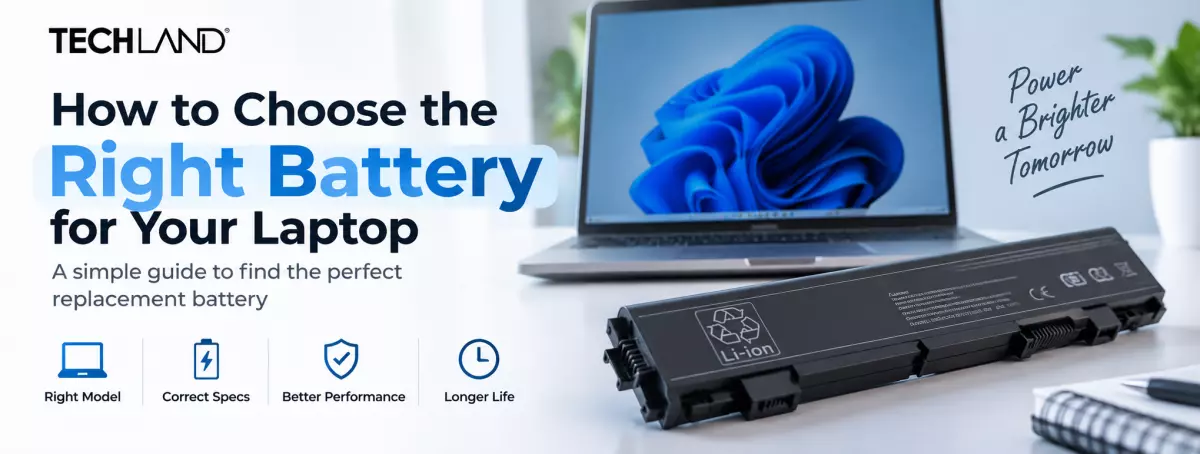
How to Choose the Right Battery for Your Laptop
A laptop battery is one of those components you usually ignore until it starts causing problems. At first, the battery may simply stop lasting as long as it once did. Later, the laptop might shut down unexpectedly, refuse to charge fully, or show a battery percentage that seems completely unreliable.
Replacing it sounds simple, but choosing the correct battery requires more than searching for your laptop brand. A Dell battery, for example, is not automatically suitable for every Dell laptop. The same is true for HP, Lenovo, ASUS, Acer, and other brands.
The safest approach is to identify your exact laptop and the battery it currently uses, then compare the important specifications before buying a replacement.
Start With Your Exact Laptop Model
The laptop model is the first thing you should check. Look underneath the laptop for a model label, or open System Information in Windows to identify the device. Write down the full model or series number, not just the brand name.
This matters because manufacturers often release several versions of the same laptop series. Those versions can have different batteries, connectors, capacities, or physical layouts.
For example, two laptops may both be sold as 14-inch models from the same manufacturer but use completely different battery packs. When searching for a replacement, use the full laptop model number whenever possible.
Find the Battery Part Number
If you can safely remove the existing battery, check its label before ordering a replacement. The label may contain several numbers. Look for terms such as:
Battery Model, Model No., Part Number, P/N, Replace With, or Spare Part Number. This number can be more useful than the laptop model because it identifies the battery itself.
Manufacturers may use different battery packs across similar laptop models, so matching the battery part number is one of the easiest ways to reduce compatibility problems.
If your laptop has an internal battery, you may need to remove the bottom cover to access the label. If you are not comfortable opening the laptop, check the manufacturer's documentation or have a technician identify the battery for you.
Understand the Numbers Printed on the Battery
Laptop battery labels can look confusing at first. Several numbers may appear together, but each one tells you something different.
Voltage
Voltage is usually shown as V. You may see values such as 10.8V, 11.1V, 11.4V, or 15.2V, depending on the battery design.
Don't assume a battery is compatible just because the voltage looks close to your original battery. Check the full battery specifications and laptop compatibility together.
When in doubt, matching the exact battery part number and manufacturer-approved replacement specification is safer than choosing a battery based on voltage alone.
Capacity
Battery capacity may be shown in mAh or Wh. mAh means milliamp-hours, while Wh means watt-hours. Wh is generally more useful when comparing the energy stored in batteries operating at different voltages.
A battery with a larger capacity can provide longer runtime. Still, bigger numbers don't automatically mean the battery suits your laptop. Compatibility comes first. Capacity comes second.
Cell Count
Some battery labels also mention the number of cells, such as 3-cell, 4-cell, or 6-cell. Cell count can affect the battery's physical design, capacity, and electrical characteristics. Keep this in mind when comparing a replacement with the original battery.
Again, do not choose a battery simply because it has more cells. The battery needs to be designed for your particular laptop.
Is a Higher-Capacity Battery Always Better
Suppose your original battery has a capacity of 45Wh and you find another battery advertised with 60Wh. It may look like an obvious upgrade, but you cannot assume that it will fit or work correctly.
The replacement must have the correct physical dimensions, connector, electrical characteristics, and compatibility with the laptop's charging and power-management system.
If the manufacturer or reputable seller specifically lists the higher-capacity battery as compatible with your exact laptop model, it may be a suitable option. Otherwise, sticking close to the original specification is usually the safer choice.
Check the Connector and Physical Design
A battery can have the correct brand and part number family but still be unsuitable if the physical design is different. Before purchasing, compare the replacement with the existing battery where possible.
Look at:
- Connector location
- Connector shape
- Cable arrangement
- Mounting points
- Battery dimensions
- Overall battery shape
This is especially important when buying online because product photos can reveal differences that a short product title doesn't mention. A battery that looks similar is not necessarily a battery that will fit.
Original or Compatible
An original or OEM battery is designed for the manufacturer's system. It is generally the closest match to the battery supplied with the laptop.
A compatible replacement battery is made by a third-party manufacturer and designed for specific laptop models.
A compatible battery is not automatically bad. A properly manufactured replacement from a reputable seller can be a sensible option, especially when an original battery is expensive or difficult to find.
The important thing is to look beyond the word "compatible." Check the manufacturer, specifications, compatibility list, warranty, and seller reputation.
Be Careful With Extremely Cheap Batteries
Price matters, but an unusually low price should make you check the product more carefully. A suspicious listing may provide little information about the battery itself. It may not clearly state the part number, capacity, voltage, manufacturer, warranty, or supported laptop models.
Also be cautious of batteries advertised with unusually high capacity at an unrealistic price. A proper product listing should give you enough information to verify whether the battery actually matches your laptop.
Check the Battery's Condition Before Installation
If you are buying a replacement battery, make sure it is sold as new if that is what you expect. A battery can lose some useful capacity while sitting unused for a long time, especially if it has been stored improperly.
When buying online, check whether the seller provides manufacturing information, warranty coverage, replacement conditions, and clear product specifications. These details are often more useful than simply choosing the cheapest listing.
Consider Battery Chemistry
Most modern laptop batteries use lithium-based technology, commonly lithium-ion (Li-ion) or lithium-polymer (Li-polymer) designs. Both can perform well, but their construction can differ.
Li-ion batteries traditionally use cylindrical or prismatic cells, while Li-polymer batteries can use more flexible pouch-style cells. The choice is usually determined by the laptop's original design, not something you should swap out freely.
In other words, don't buy a different battery chemistry just because its advertised capacity is higher. Follow the battery specification intended for your laptop.
Think About How You Use Your Laptop
The best replacement battery depends partly on how you use your laptop. If your laptop stays on a desk most of the day, you may not need to pay extra for maximum battery capacity. If you regularly take your laptop to university, meetings, cafés, or travel locations, reliable battery runtime becomes much more important.
Students may prioritise dependable everyday use and reasonable cost. Someone working away from a power outlet may value capacity and battery health more. The goal is not to buy the biggest battery available. It is to find a battery that is compatible, dependable, and appropriate for your usage.
Compare Laptop Battery Prices in Bangladesh
Replacement battery prices can vary widely depending on the laptop brand, model, capacity, battery type, and whether you choose an original or compatible option. Instead of comparing price alone, compare the complete package.
Look at the battery's model number, compatibility, voltage, capacity, manufacturer, warranty, and price.
If you are checking current options, comparing the laptop battery price in Bangladesh can help you understand what different replacement batteries are currently selling for.
For example, a cheaper battery may make sense if it comes from a reliable manufacturer and includes suitable warranty coverage. On the other hand, paying more can be worthwhile when you need a specific original battery that is hard to replace.
How to Make Your New Battery Last Longer
After you install a replacement battery, how you use the laptop can affect its long-term performance. Excessive heat is particularly harmful to lithium-based batteries. Keep the laptop's cooling vents clear and avoid using it on surfaces that block airflow.
You also do not need to repeatedly drain a modern lithium battery to zero to "train" it. Normal charging and discharging is generally more practical.
If you are storing the laptop for an extended period, avoid leaving the battery empty for months. A moderate charge level is generally more suitable for long-term storage.
Most importantly, use a compatible charger and avoid damaged or questionable charging equipment.
Frequently Asked Questions
How do I know which battery is compatible with my laptop?
Check your laptop’s exact model number and the battery part number printed on the existing battery. Also compare the battery’s voltage, capacity (mAh/Wh), cell count, connector, and physical shape with the replacement. The safest choice is a battery specifically listed as compatible with your laptop model or part number.
What should I check before buying a laptop battery?
Before buying, check the laptop model, battery part number, voltage, capacity, cell count, connector type, and physical dimensions. Make sure the replacement battery matches the manufacturer’s compatibility requirements. Also check the seller’s warranty and return policy.
Is a higher-capacity laptop battery always better?
No. A higher-capacity battery can provide longer runtime, but it is only a good choice if it is compatible with the laptop’s model and battery specifications. Capacity is usually shown in mAh or Wh, and compatibility should be checked before choosing a higher-capacity replacement.
Should I buy an original or compatible laptop battery?
An original battery is made or approved by the laptop manufacturer and is generally the safest match. A compatible replacement battery can also be a good option when it comes from a reliable manufacturer and matches the laptop’s required specifications. Check compatibility, battery quality, warranty, and seller reputation before buying.
What information do I need to find the right laptop battery?
The most useful information is the laptop model number and battery part number. You should also check the battery’s voltage (V), capacity (mAh or Wh), cell count, connector, and physical design. These details help confirm whether a replacement battery is suitable for your laptop.
Discussion
0Leave a Comment
No comments yet
Be the first to share your thoughts
