
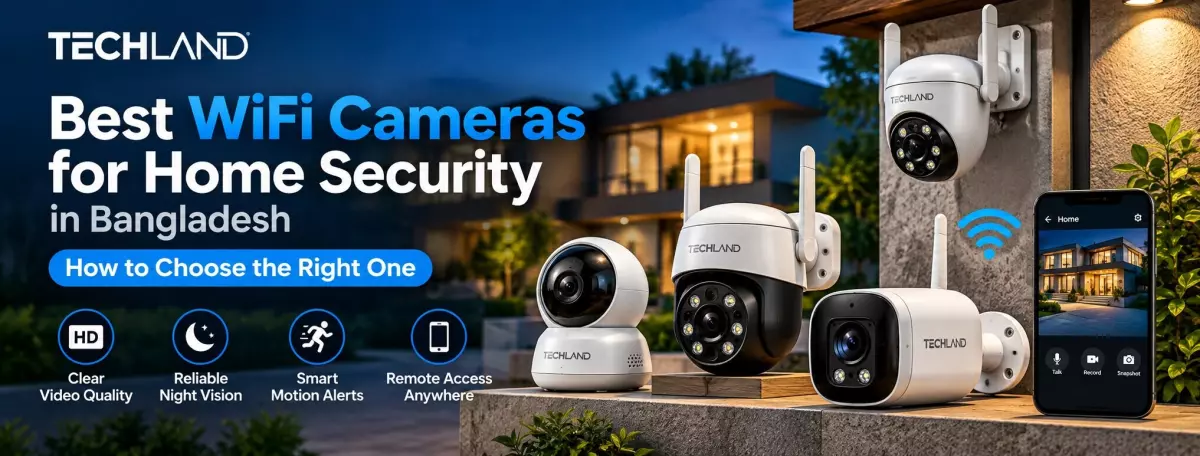
Best WiFi Cameras for Home Security in Bangladesh
Home security cameras have become much easier to install and use in recent years. Instead of setting up a complicated surveillance system with multiple cables, many homeowners now prefer WiFi cameras that can connect to their existing wireless network and be monitored from a smartphone.
But choosing the best WiFi camera is not as simple as picking the model with the highest resolution or the lowest price. Different homes have different security needs. A camera that works well inside a small apartment may not be the right choice for a front gate, rooftop, garage, or outdoor area.
If you are looking for the best WiFi camera in Bangladesh, consider where you will install it, what you want to monitor, how much storage you need, and which features are useful for your situation.
What Is a WiFi Camera
A WiFi camera is a security camera that uses a wireless network to communicate with your router and connected devices. Once properly configured, you can usually watch live footage through a smartphone app and, depending on the model, receive motion alerts or review recorded video.
One of the main reasons people choose WiFi cameras is the relatively simple installation. You may not need to run long network cables through walls, making these cameras suitable for homes, apartments, small offices, shops, and other locations where a traditional wired setup may be inconvenient.
However, WiFi does not mean the camera can work completely without a network connection. The exact features available when the internet is unavailable depend on the camera, storage method, and configuration.
What Makes a WiFi Camera Good for Home Security
The best WiFi camera for your home should provide a clear image, reliable connectivity, useful recording options, and features that match the area you want to monitor.
Image quality matters, but it is not the only factor. A camera with excellent resolution will not be very useful if it constantly loses its connection or cannot provide clear footage at night.
For most homes, a combination of good resolution, night vision, motion detection, suitable storage, and reliable mobile access matters more than choosing the camera with the longest list of specifications.
Choose the Right Resolution
Resolution determines how much detail the camera can capture. For basic home monitoring, a Full HD camera can be enough for rooms, entrances, and smaller areas.
If you need more detail or want to monitor a wider area, moving to 2K, 4MP, 5MP, or higher resolution can make sense. Higher resolution helps when you need to identify faces, objects, or activity from a greater distance.
However, higher resolution also produces larger video files and can require more storage and network bandwidth. Therefore, choose the resolution according to your actual security needs rather than automatically buying the highest specification available.
Night Vision Is Important
A security camera should continue to provide useful footage after sunset. This makes night vision one of the most important features to consider.
Many WiFi cameras use infrared LEDs to capture black-and-white footage in darkness. Some models also offer colour night vision when sufficient light is available.
Before choosing a camera, consider the area you want to monitor at night. A small indoor room may require only a short night-vision range, while a driveway, entrance, or outdoor space may need a camera with stronger low-light performance.
Camera Viewing Angle
The viewing angle determines how much of the surrounding area the camera can see. A wide-angle camera can be useful in a living room, shop, entrance, or other location where you want to cover a larger area from one position. If the camera needs to monitor different directions, a pan-and-tilt model may provide greater flexibility.
For example, a fixed camera can work well when you already know exactly where you want to point it. A PTZ or pan-and-tilt camera can be more useful when you want to change the viewing direction remotely. Before choosing a camera, consider the size and layout of the area.
Indoor or Outdoor WiFi Camera
Where you install the camera should determine which type you buy. Indoor WiFi cameras are designed for protected areas such as bedrooms, living rooms, offices, reception areas, and hallways. They are often smaller and easier to position.
Outdoor cameras must handle rain, dust, sunlight, heat, and changing weather conditions. If you are installing a camera outside, check its IP rating and make sure the model is specifically designed for outdoor use. Don't install an indoor camera outside; the environment can damage the device and affect its long-term reliability.
Motion Detection Can Reduce Unnecessary Monitoring
You don't want to watch a camera screen all day. Motion detection lets the camera monitor activity and notify you when it detects movement. More advanced models may include human detection or other smart detection features. These features can help reduce unnecessary notifications caused by pets, moving objects, or other minor activity.
For a front door or entrance, motion alerts can be particularly useful because you can receive a notification when someone enters the monitored area. Feature quality can vary between models, so check exactly what type of detection the camera supports.
Think About Storage Before Buying
A camera is much more useful when you have a practical way to store and review recordings. Many WiFi cameras support microSD cards for local storage. This can be a convenient option because recordings are stored directly on the camera rather than requiring a monthly cloud subscription.
Some cameras also support cloud storage. Cloud recording can be useful if you want your footage to remain available even when the camera or memory card is damaged or removed. Before buying, check the supported storage capacity, recording modes, and whether any important features require a subscription.
Check Smartphone Access and the Mobile App
Remote viewing is one of the main reasons people choose WiFi cameras. A good camera should provide a reliable mobile application that lets you view live footage, review recordings, change settings, and receive notifications.
People often overlook the app when comparing specifications, but it can make a major difference in everyday use. A camera with excellent hardware can still be frustrating if the app is difficult to use or frequently disconnects. If several family members need access, also check whether the camera supports multiple users or device sharing.
Make Sure Your WiFi Signal Is Strong Enough
Even a good WiFi camera can perform poorly if the wireless signal at its installation point is weak. Before installing a camera, check how strong your WiFi connection is in that location. Thick walls, multiple floors, long distances, and interference from other devices can reduce signal quality.
If your router is far from the camera, you may need a better router, mesh WiFi system, or another networking solution. For larger homes, planning the network before installing multiple cameras can prevent connection problems later.
Security and Privacy Matter
Because a WiFi camera can connect to the internet, don't ignore security. Use a strong password for your camera account and avoid using the same password across multiple services. Keep the camera firmware and mobile application updated when updates are available.
If the manufacturer offers two-factor authentication, enable it for added protection. Also consider where you install cameras. Avoid placing indoor security cameras in locations where privacy could become an issue, and understand how the manufacturer's app and cloud services handle your data.
How Many WiFi Cameras Do You Need
The number of cameras depends on your property's size and layout. A small apartment may need only one or two cameras to cover key areas such as the entrance and living space. A larger house may require separate cameras for the front door, driveway, backyard, garage, and other access points.
Instead of trying to monitor every part of the property, start with the areas where security matters most. This can make the system easier to manage and may also reduce unnecessary storage and network usage.
Best WiFi Camera Features for Different Needs
For indoor home monitoring, look for a compact camera with Full HD or higher resolution, two-way audio, motion detection, night vision, and a reliable mobile app.
For a front door or entrance, a camera with a wide viewing angle, motion detection, clear night vision, and useful notification features may matter more.
For outdoor security, focus on weather resistance, strong night vision, suitable viewing coverage, stable connectivity, and durable construction.
For shops or small offices, consider higher resolution, longer recording capacity, wider coverage, and features that make it easy to review activity throughout the day.
No single camera is perfect for every situation. The best choice depends on what you need to monitor.
Discussion
0Leave a Comment
No comments yet
Be the first to share your thoughts
