
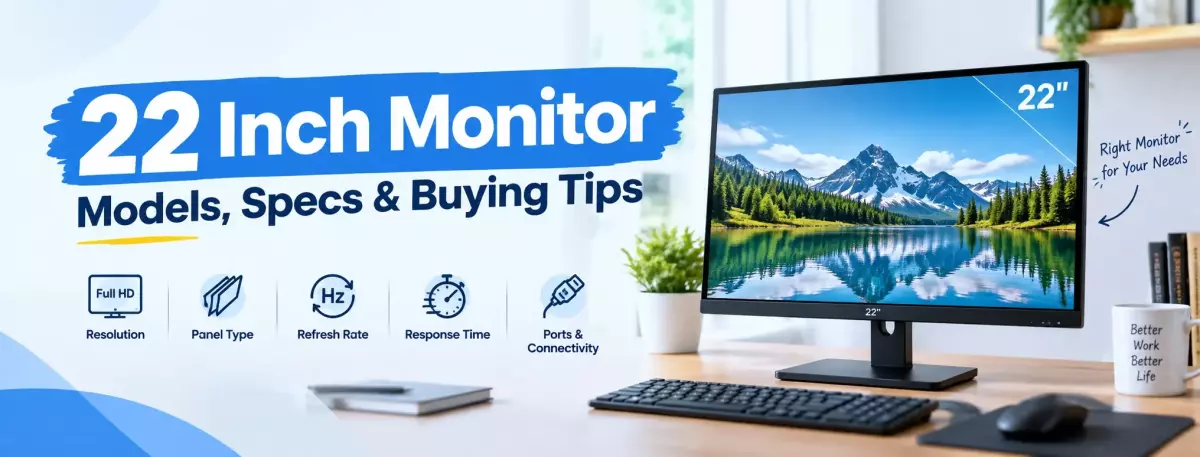
22 Inch Monitor Models, Specs & Buying Tips
If you are searching for 22-inch monitor price in bd, you are likely comparing affordable displays for work, study, home use, or light gaming. A 22-inch monitor offers a practical screen size without taking up much desk space. This guide explains what you can expect from a 22-inch monitor, which specifications matter, and how to choose one for your needs.
How Much Does a 22-Inch Monitor Cost in Bangladesh?
The price depends mainly on the specifications and brand. For budget buyers, many 21.45–22-inch monitors offer Full HD resolution and refresh rates around 60Hz to 100Hz. Models with IPS panels, higher refresh rates, better connectivity, or specialized features can cost more.
TechLand BD listings include models from brands such as MSI, Dahua, Walton, Starex, PC Power, Realview, AS bUS, and Samsung. Their specifications vary considerably even when their screen sizes are similar.
What Should You Look for in a 22-Inch Monitor?
Screen size alone does not determine whether a monitor is right for you. Check these specifications before comparing models.
1. Resolution
Full HD, or 1920 × 1080, is common in this size. A Full HD 22-inch display provides enough resolution for everyday browsing, documents, online classes, office applications, movies, and general computer use. If two monitors have the same screen size, resolution is one of the first specifications worth comparing.
2. Panel Type
The panel affects viewing angles, colors, contrast, and overall display characteristics.
Common options include:
-
IPS: Usually a good choice for wide viewing angles and consistent colors.
-
VA: Often offers stronger contrast and deeper blacks.
-
TN: Can be found in some performance-focused displays but is less common in many modern general-use monitors.
For office work, study, browsing, and mixed use, an IPS monitor can be a practical option.
3. Refresh Rate
Refresh rate is measured in hertz, or Hz. A 60Hz monitor refreshes the image up to 60 times per second. A 100Hz display can provide smoother motion when supported by the system and content. If you mainly use Microsoft Office, web browsers, accounting software, or similar applications, you may not need an extremely high refresh rate. For casual gaming, a 100Hz monitor can be worth considering if the price difference is reasonable.
4. Response Time
Response time indicates how quickly a pixel can change between colors under a specified measurement. Gaming monitors often advertise lower response times. However, you should compare the measurement method because manufacturers may list values such as GTG or MPRT. Do not choose a monitor based only on the lowest response-time number.
5. Ports
Check the available ports before buying.
Common connections include:
-
HDMI
-
VGA
-
DisplayPort
-
Audio output
-
USB
-
USB Type-C on selected models
Your monitor should have a connection that works with your desktop, laptop, or other source device.
Is a 22-Inch Monitor Good for Office Work?
Yes. A 22-inch monitor can work well for everyday office tasks.
It can be suitable for:
-
Microsoft Word and Excel
-
Web browsing
-
Email
-
Online meetings
-
Accounting software
-
Data entry
-
Online classes
-
Basic photo work
-
General home computing
A 22-inch screen also works well when desk space is limited.
For people who regularly work with large spreadsheets, multiple windows, or complex editing software, a larger 24-inch or 27-inch display may provide more working space.
Is a 22-Inch Monitor Good for Gaming?
It can be, especially for budget-conscious gamers. Look beyond screen size and compare refresh rate, response time, resolution, panel type, and adaptive-sync support. A 22-inch Full HD monitor with a higher refresh rate can be suitable for casual gaming and competitive titles. However, serious gamers may prefer a larger display with a higher refresh rate and other gaming-focused features.
Which 22-Inch Monitor Specifications Are Best for Different Users?
Different users should prioritize different specifications.
For Students
Look for:
-
Full HD resolution
-
IPS panel
-
Comfortable viewing features
-
HDMI connectivity
-
A reasonable price
A basic 22-inch Full HD monitor is usually enough for classes, browsing, assignments, and entertainment.
For Office Users
Prioritize:
-
Full HD resolution
-
IPS or suitable VA panel
-
Comfortable viewing features
-
Useful connectivity
-
Adjustable or VESA-compatible design where needed
You do not necessarily need a gaming-focused monitor for office work.
For Casual Gamers
Consider:
-
Full HD resolution
-
100Hz or higher refresh rate
-
Low response-time specification
-
Adaptive-sync support
-
HDMI or DisplayPort, depending on your setup
Always check whether your computer can actually take advantage of the monitor's refresh rate.
For Home Use
A basic Full HD display may be enough for browsing, movies, documents, and everyday tasks. There is little reason to pay for gaming features you will never use.
How to Choose the Right 22-Inch Monitor
Use this simple checklist before purchasing:
-
Set your budget.
-
Decide whether you need Full HD.
-
Choose IPS, VA, or another suitable panel.
-
Check the refresh rate.
-
Compare response-time specifications.
-
Check HDMI, VGA, DisplayPort, or other required ports.
-
Look for features you will actually use.
-
Confirm the latest price and stock status.
-
Check the product's warranty information.
-
Compare similar models before ordering.
This approach helps you avoid paying extra for specifications that do not match your actual use.
FAQ
Is Full HD good for a 22-inch monitor?
Yes. 1920 × 1080 Full HD is a practical resolution for a 22-inch screen. It works well for office tasks, browsing, study, entertainment, and general computer use.
Is a 22-inch monitor enough for office work?
Yes. A 22-inch monitor can handle documents, spreadsheets, browsing, email, online meetings, and similar tasks. Users who need more workspace may prefer a 24-inch or larger display.
Is 100Hz better than 60Hz?
A 100Hz monitor can provide smoother motion than 60Hz when the computer and content support the higher refresh rate. Whether it is worth paying more depends on your usage.
Which panel is better for a 22-inch monitor?
IPS is a strong option for general use because of its wide viewing angles and consistent image quality. VA can be useful when contrast is a priority. Compare the complete specifications before choosing.
Is a 22-inch monitor good for gaming?
Yes. A 22-inch monitor can be suitable for gaming, particularly with Full HD resolution and a higher refresh rate. For gaming, also compare response time, adaptive-sync support, and connectivity.
Should I buy a 22-inch or 24-inch monitor?
Choose 22 inches if you want a compact setup or have limited desk space. A 24-inch monitor provides more screen area and can be more comfortable for multitasking.
What should I check before buying a monitor?
Check the resolution, panel type, refresh rate, response time, ports, physical size, mounting options, warranty information, price, and current availability.
Discussion
0Leave a Comment
No comments yet
Be the first to share your thoughts
