
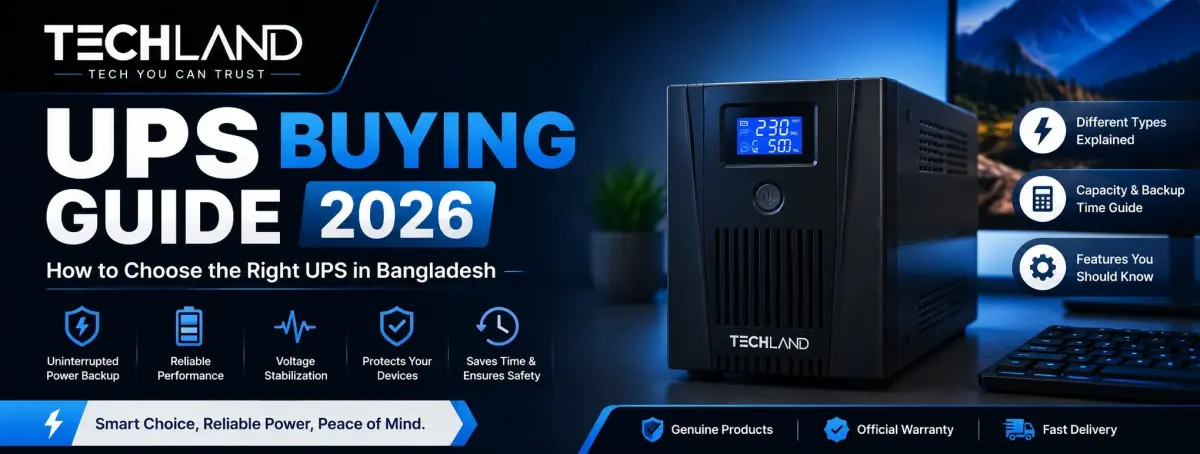
UPS Buying Guide in Bangladesh
Power interruptions can be frustrating, especially when you are working on a desktop computer, attending an online meeting, gaming, or handling important office work. A sudden power cut can interrupt your work, shut down your PC, and in some situations even put your data or hardware at risk.
A UPS, or Uninterruptible Power Supply, is a device that provides temporary backup power when the main electricity supply is out. But choosing the right UPS is more than simply buying one with the highest VA rating. What matters are the connected devices, total power consumption, backup time, UPS type, battery capacity, voltage regulation, and output quality.
This 2026 UPS buying guide will explain key specifications in simple terms and help you understand which UPS is suitable for your computer, gaming PC, office workstation, router, server, or other electronics in Bangladesh.
What Is a UPS and How Does It Work?
UPS is a backup power system that supplies power to connected equipment when the main power source is unavailable. A UPS is not a normal power strip or voltage stabiliser. A UPS has a battery that can keep your devices running for a short time during a power outage.
Normally, the UPS draws power from the wall outlet to power the equipment plugged into it and to charge its internal battery. If the electricity is cut off, the UPS switches to battery power, allowing the connected devices to continue operating for a limited time.
The duration of the backup depends on the UPS capacity, battery condition, and the connected load. A desktop PC with a monitor can draw much more power than a Wi-Fi router, so the same UPS will not last as long for everyone.
Do You Really Need a UPS?
If you regularly use a desktop computer, gaming PC, office workstation, networking equipment or other electronics that shouldn't suddenly lose power, a UPS is especially useful.
For a basic home PC, the main thing might be to give you enough time to save your work and shut down the computer. For a freelancer or office user, a UPS can help keep productivity going during short power interruptions.
Gamers and users with high-performance desktop computers need to pay more attention to capacity and output quality, as gaming PCs can draw substantially more power than typical office computers.
You might not need a traditional desktop UPS at all for routers and networking devices. A Mini UPS is a compact and more practical solution for staying online during brief power outages.
Different Types of UPS Available in Bangladesh
Not every UPS works in the same way. The three common UPS technologies are Offline, Line-Interactive, and Online UPS. Mini UPS units are also widely used for low-power networking equipment.
Offline UPS
An Offline UPS (also called a Standby UPS) is generally designed for basic protection and backup power. Under normal conditions, the connected equipment is powered from the main electrical supply. When power is lost, the UPS goes to battery operation.
This type can be good for basic desktop computers, monitors, routers, and home-office equipment, where you mostly need a short backup during an outage.
Looking for a basic offline UPS in Bangladesh? Techland BD has a separate category where you can compare different capacities and specifications.
Line-Interactive UPS
A line-interactive UPS is a step up from a basic standby model, but not quite as sophisticated as an online system. It can handle some voltage fluctuations without always drawing power from the battery.
This makes it useful for computers, gaming setups, networking equipment, POS systems and small offices where voltage fluctuations are a concern. A line-interactive model can provide a reasonable compromise for users wanting better voltage management without a full online UPS.
Online UPS
The Online UPS gives you better power protection. It continuously conditions incoming electricity before delivering power to connected equipment, thereby providing a more stable output and eliminating the typical transfer delay associated with standby systems.
This one is better for sensitive or critical equipment, such as servers, network infrastructure, professional workstations, and business systems that require better power quality.
Mini UPS
Mini UPS are smaller than regular computer UPS and are designed for low-power devices.
It is suitable for Wi-Fi routers, ONU/ONT devices, modems, CCTV equipment and other networking products. If your main concern is keeping your internet connection alive during load shedding, a Mini UPS may be more practical than buying a large computer UPS.
Mini UPS Models with different battery capacities, output levels, and connector options are provided by Techland BD.
UPS Capacity: What Do VA and Watt Mean?
One of the most important things to consider when choosing a UPS is its capacity. UPS capacities are often rated in VA (volt-amperes) while the actual power you will draw from your equipment is measured in watts. These two values are proportional but not equal. For example, a UPS rated at 1000 VA does not mean it can continuously output 1000W of power. Real watt capacity depends on UPS design and power factor.
Before you buy, make sure you know the wattage requirements of the devices you want to plug into the UPS and compare that number with the UPS's rated output. One simple way to do this is to add up the approximate power consumption of your PC, monitor, router, speakers and other gear. Then allow some headroom, instead of selecting a UPS that operates at or very close to its maximum capacity.
Example of UPS Capacity Calculation
Your desktop PC uses around 300W and your monitor around 40W. If your router and other accessories add another 20W, then your total load would be about 360W. A UPS rated exactly at 360W is not as good as one with extra headroom.
The exact requirement depends on your equipment, but the basic principle is simple: first figure out your actual load, then select a UPS with enough capacity to handle it without breaking a sweat.
How Much Backup Time Do You Need?
Many buyers believe that a larger UPS provides several hours of backup power. That is not how a normal computer works. For consumers, UPS systems are typically a short-term backup, not a substitute for a full home power backup system. Note: Actual running time depends on battery capacity and load. A high-performance PC will drain the battery much faster than a router or a low-power office computer.
If you're looking to save files and shut down your PC safely, a short runtime might be all you need. For longer load shedding, you may also need an extended battery solution, an IPS, or a portable power station, depending on the equipment you need to run. You may also need a higher-capacity UPS.
Important UPS Features to Check Before Buying
Once you understand the required capacity and UPS type, look at the features that affect everyday performance.
Automatic Voltage Regulation
AVR is a vital feature in places where voltage often varies. It helps control certain input voltage variations without switching to battery power when unnecessary. This can be useful in Bangladesh, where voltage instability is a problem in some areas.
Fast Transfer Time
Transfer time is the amount of time it takes for the UPS to switch from utility power to battery power. For an Offline or Line-Interactive UPS, this time is very important. A shorter transfer time can reduce the chance that connected equipment will shut down during a power failure.
Pure Sine Wave Output
For some computers, power supplies and sensitive electronics, the output waveform is critical. Some equipment can be sensitive to power quality, and a pure sine-wave UPS provides a cleaner AC waveform and may be the better choice. However, this function does not require all users to pay more, so before deciding, consider your actual equipment.
Overload Protection
Overload protection is a safety feature that protects the UPS from damage when connected equipment draws more power than the system is designed for. This is all the more important if you have multiple devices connected to a single UPS.
Surge Protection
Power surges can damage electronic equipment. A UPS with suitable surge protection can provide an additional layer of protection against sudden voltage spikes.
LCD or LED Display
A display can make it easier to monitor information such as battery status, input voltage, output load, and operating mode.
For users who want to keep an eye on their UPS condition, this can be a useful convenience feature.
USB Connectivity
Some UPS models can connect to a computer through USB. Depending on the model and software, this can allow the computer to monitor UPS status and automatically shut down when the battery becomes critically low.
This is particularly useful for office PCs and workstations where preventing sudden shutdown is important.
UPS Battery: What Should You Know?
The battery is one of the most important elements of a UPS because it determines how long the system can provide backup power. Most standard UPS devices use rechargeable batteries, usually lead-acid. With age and use, batteries tend to lose their ability to perform well. Frequent load shedding can also mean the battery is used more often, which can affect its long-term performance.
If the UPS is a few years old and the backup time has dropped significantly, the battery may need to be tested or replaced. When comparing UPS models, don't just look at the initial price. The availability of batteries, replacement costs, warranty, and local service support can also impact the overall value of the UPS.
Which UPS Is Suitable for Different Users?
The right UPS depends heavily on what you are trying to protect.
UPS for Home Computer Users
A basic desktop computer, monitor, and router may be adequately protected by an Offline or Line-Interactive UPS, depending on the total power draw. The primary objective for many home users is not to operate the computer for hours on end. Instead, the UPS gives you enough time to save your work and shut down safely.
UPS for Gaming PC
A gaming PC can consume a lot more power, especially if you have a dedicated graphics card and a high-performance processor. The gaming setup may also include a high-refresh-rate monitor, speakers, networking gear, and other peripherals.
So the total load needs to be calculated before selecting a UPS. If your gaming system is power-hungry, a higher-capacity Line-Interactive or Online UPS may be suitable, depending on the power supply and desired protection.
UPS for Freelancers and Home Offices
For freelancers, income often depends on their computer and internet connection. A sudden shutdown can interrupt a meeting, corrupt unsaved work, or disconnect a task that is in progress.
A UPS with sufficient capacity for your PC, monitor, router and other essential equipment can prove useful during short outages. If the main concern is internet connectivity, a separate Mini UPS for the router can be a practical add-on.
UPS for Office
An office may have multiple computers, monitors, networking devices, printers and other equipment. Do not plug everything into one small UPS, but separate equipment by priority and add up the load of each group. If you have a larger office, you may need a UPS system with higher capacity.
UPS for Servers and Networking Equipment
Servers and network equipment require more careful power planning because an unexpected shutdown can affect many users and services. For critical infrastructure, an Online UPS can sometimes be a better choice due to its higher level of power conditioning and continuous protection. The required capacity should be calculated based on the actual connected servers, network, storage, and other equipment to the system.
UPS vs IPS vs Portable Power Station
A UPS is not an IPS or a portable power station. The main purpose of a UPS is to provide short-term backup power and protection for computers, networking equipment, servers, and other electronics. An IPS is generally used as a backup solution for household and electrical loads over extended periods.
A portable power station is a battery-powered device that delivers power through AC outlets, USB ports, and other outputs. Today's models can also be solar-powered and used at home, while travelling, or outdoors. Techland BD currently sells portable power stations from brands such as EcoFlow, Anker, Marsriva, and Hithium. So if you want to protect a desktop computer from sudden loss of power, start with a UPS. If you need to run household appliances for extended periods, consider an IPS or a portable power station, depending on your load.
Common Mistakes to Avoid When Buying a UPS
One of the biggest mistakes is choosing a UPS based solely on the VA rating. A UPS with a big VA rating isn't necessarily the right size for your specific equipment. Another mistake is failing to check the wattage. Always check the VA and watt ratings.
If the UPS is too small, it will overload; if it is larger than you need, it will be an unnecessary cost. Do not connect high-power-consumption equipment without confirming that the UPS can support the load. Finally, do not forget the battery replacement, warranty, service support and installation requirements.
UPS Installation and Maintenance Tips
Place the UPS in a dry, relatively ventilated area. Avoid keeping it in an enclosed space where heat can accumulate. Do not exceed the UPS's rated capacity. Keep cables tidy and ensure ventilation openings are not obstructed. If your UPS comes with monitoring software or a display, be sure to check the battery status and load status regularly.
The backup time should also be checked when it starts to fall significantly. If the UPS battery is swollen, damaged, or abnormally hot, discontinue use and have it checked by a qualified service provider. Regular maintenance is particularly crucial for users who experience frequent power cuts, as the UPS battery may cycle more often.
Is a Bigger UPS Always Better?
Not necessarily. A larger UPS can handle a larger load but might be more expensive and larger. However, if your PC and monitor aren't power-hungry, there may be little point in buying a UPS that's too big. A better way is to work out your actual load, decide how long you want the backup to last and then choose a UPS with a reasonable margin of safety.
Where to Buy a UPS in Bangladesh?
Do not make price the only factor when buying a UPS. The product's authenticity, warranty, battery capacity, specifications, service support, and availability of replacement batteries are also important.
Techland BD currently has a large collection of UPS systems, including Offline UPS, Online UPS, Mini UPS, and other backup solutions. This segment includes models for home computers, gaming PCs, networking equipment, offices, and professional use.
Check the UPS capacity, watt rating, topology, battery type, transfer time, AVR, output waveform, protection features and the expected backup requirement before you buy.
Frequently Asked Questions About UPS
How do I choose the right UPS for my PC?
Calculate the total power consumption of your PC, monitor, router, and other essential devices. Then choose a UPS with sufficient watts and VA capacity, plus some additional headroom.
Is a 650VA UPS enough for a desktop PC?
It depends on the actual power consumption of the PC and connected devices. A basic office computer may work with a 650VA UPS, while a gaming or high-performance PC may require considerably more capacity.
Which UPS is better for a gaming PC?
A suitable Line-Interactive or Online UPS can be considered for a gaming PC, depending on the system's total power consumption and the level of power protection required.
How long does a UPS provide backup?
Backup time depends on battery capacity, UPS efficiency, and the connected load. A low-power device can run considerably longer than a high-power desktop PC on the same UPS.
What is the difference between Online and Offline UPS?
An Offline UPS switches to battery power when the main electricity fails. An Online UPS continuously processes the incoming power and provides a higher level of power conditioning and protection.
Can a UPS run a Wi-Fi router?
Yes, if the UPS provides the correct output and sufficient capacity. However, a Mini UPS for a Wi-Fi router is often a simpler, more compact solution.
Where can I buy a reliable UPS in Bangladesh?
You can explore and compare different UPS options at Techland BD, including Offline UPS, Online UPS, and Mini UPS, based on your equipment, required capacity, and budget.
Discussion
0Leave a Comment
No comments yet
Be the first to share your thoughts
