
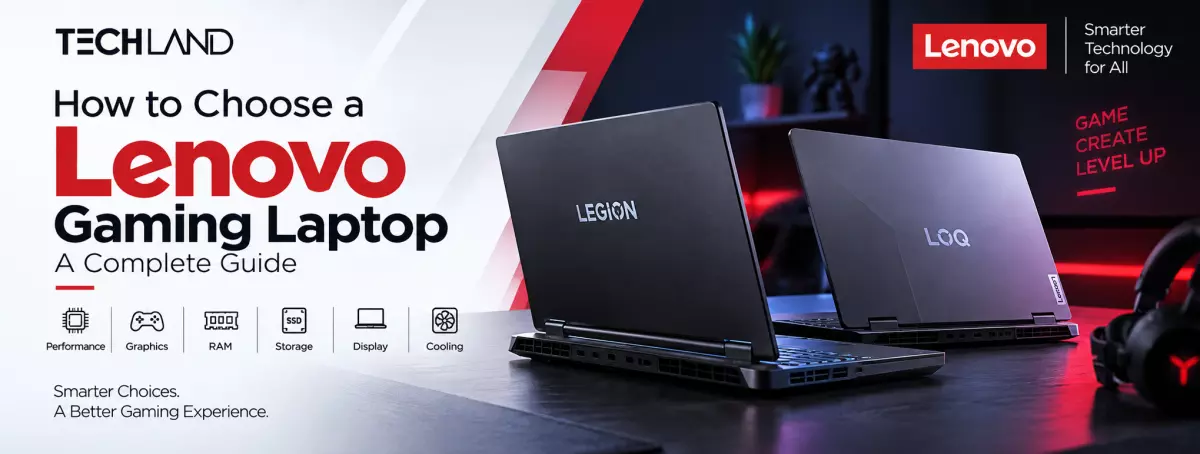
How to Choose a Lenovo Gaming Laptop
Choosing a gaming laptop isn't just about picking the model with the biggest specs. A good Lenovo Gaming Laptop should match the games you play, the applications you use, your preferred display quality, and your long-term performance needs. Lenovo offers gaming models across different performance levels, so it's important to understand the key specifications before deciding.
Choose the Right Lenovo Gaming Laptop Series
Lenovo's gaming lineup includes models from the LOQ and Legion families, giving users options based on their performance needs. LOQ models deliver strong gaming performance across different configurations. In contrast, Legion models target users seeking higher-end hardware and additional premium features. Lenovo's specifications show that LOQ configurations can include dedicated NVIDIA GeForce RTX graphics, DDR5 memory, PCIe SSD storage, and high-refresh-rate displays.
When comparing Lenovo LOQ vs Legion, focus on what you need rather than choosing a series only because it costs more. A well-configured LOQ can suit many gamers, while Legion can make more sense for users who need higher performance for demanding games and professional workloads.
Select the Right Processor
The processor is important for gaming, multitasking, streaming, programming, editing, and other demanding applications. Lenovo gaming laptops are available with different Intel and AMD processors, so the right choice depends on your workload.
For regular gaming and everyday tasks, a capable mid-range processor can provide a good balance. If you plan to stream games, edit videos, run demanding software, or multitask heavily, a higher-performance processor can provide additional headroom.
However, don't consider processor selection separately from the graphics card. For gaming, the GPU often has a greater impact on graphical performance, especially in demanding games at higher settings.
Pay Attention to the Graphics Card
The GPU is one of the most important specifications when choosing a Lenovo Gaming Laptop. It affects frame rates, graphical settings, resolution, and the ability to run modern games smoothly.
Different Lenovo configurations can come with different NVIDIA GeForce RTX graphics options. For example, Lenovo's LOQ specifications include configurations with RTX 3050, RTX 4050, and RTX 4060 GPUs, depending on the model. Higher-end Legion configurations can offer significantly more powerful graphics options for demanding gaming workloads.
If you mainly play esports titles, you may not need the highest-end GPU. For demanding AAA games, however, a stronger graphics card can deliver better performance and let you use higher graphical settings for longer.
Check RAM and SSD Storage
RAM affects how efficiently the laptop handles games, applications, and multitasking. For most modern gaming, 16GB of RAM is a practical starting point. Users who perform heavier editing, development, or multitasking may benefit from more memory.
Storage also matters because modern games can take up a lot of space. A PCIe NVMe SSD provides fast boot times, application loading, and game loading. Some Lenovo LOQ configurations also provide multiple memory and storage slots, allowing upgrades depending on the specific model.
Before buying, check not only the included RAM and SSD capacity but also whether the laptop allows future upgrades. This can make a significant difference if your storage or memory requirements increase later.
Choose the Right Display
A gaming laptop's display directly affects how games look and feel. Refresh rate matters most for fast-paced, competitive games because a higher refresh rate makes motion look smoother.
Lenovo laptops are available with different display configurations. Certain LOQ models, for example, offer high-refresh-rate IPS panels with resolutions up to WQHD and features such as variable refresh rate and NVIDIA G-SYNC.
The resolution should also match the GPU. A high-resolution display delivers sharper visuals. Still, the graphics hardware needs enough performance to take advantage of it. Also consider brightness, colour coverage, response time, and panel quality when comparing different models.
Consider Cooling and Long-Term Performance
Gaming puts sustained pressure on the processor and GPU, so cooling is a key part of laptop performance. A good cooling system helps the hardware maintain performance during longer gaming sessions.
Lenovo gaming models use dedicated thermal designs, and some LOQ configurations include Lenovo's AI Engine+ technology to adjust system performance and thermal behaviour dynamically.
When comparing laptops, don't judge performance only by short benchmark results. Consider how the laptop is designed to handle sustained workloads, especially if you regularly play games for several hours.
Think About Portability and Everyday Use
A Lenovo Gaming Laptop for Students can be useful when one device needs to handle gaming, study, programming, editing, and entertainment. However, gaming laptops generally prioritise performance over extreme portability.
If you frequently carry your laptop between home, university, or work, check its weight, dimensions, charger size, and battery capacity. If the laptop will mostly stay on a desk, you can focus more on performance, cooling, display quality, and connectivity.
Check Ports and Connectivity
Ports are another specification worth checking before buying. Gamers may need USB ports for a mouse, keyboard, controller, headset, or external storage. In contrast, creators may need HDMI or USB-C for an external monitor.
Depending on the configuration, Lenovo gaming laptops can provide USB-A, USB-C, HDMI, Ethernet, and other connectivity options. Some LOQ models also support USB-C DisplayPort and high-speed external display connectivity.
Consider the accessories you use now and what you may add later. Having the required ports built into the laptop can make your setup much easier.
Match the Laptop With Your Gaming Needs
The best Lenovo Gaming Laptop is not necessarily the most powerful or expensive model. If you mainly play competitive games, prioritise the GPU and a high-refresh-rate display. If you play demanding AAA titles, focus more on graphics performance, cooling, RAM, and display quality.
For users who need a laptop for both gaming and work or study, a balanced configuration with a capable processor, dedicated GPU, 16GB or more RAM, fast SSD storage, and a quality display can be a practical choice.
Frequently Asked Questions
Which Lenovo Gaming Laptop is best for gaming?
The best model depends on your gaming requirements. Lenovo LOQ can be a strong choice for balanced gaming performance, while Legion models are better suited to users looking for higher-end hardware and more demanding gaming performance.
How much RAM is enough for a Lenovo Gaming Laptop?
For most modern gaming and multitasking, 16GB RAM is a practical starting point. If you regularly use demanding applications, edit videos, or perform heavy multitasking, choosing a model with more RAM or upgrade support can be beneficial.
Which GPU should I choose for a Lenovo Gaming Laptop?
The right GPU depends on the games and graphical settings you want to use. Entry and mid-range RTX graphics can be suitable for many games, while higher-end GPUs are preferable for demanding AAA titles, higher resolutions, and longer-term performance.
Is Lenovo LOQ good for gaming?
Yes. Lenovo LOQ models are designed specifically for gaming and can include dedicated NVIDIA RTX graphics, high-refresh-rate displays, DDR5 memory, and dedicated cooling systems.
What should I check before buying a Lenovo Gaming Laptop?
Check the GPU, processor, RAM, SSD, display refresh rate and resolution, cooling system, battery, upgrade options, ports, and overall portability. Comparing these specifications with your actual gaming and work requirements will help you choose the right configuration.
Discussion
0Leave a Comment
No comments yet
Be the first to share your thoughts
