
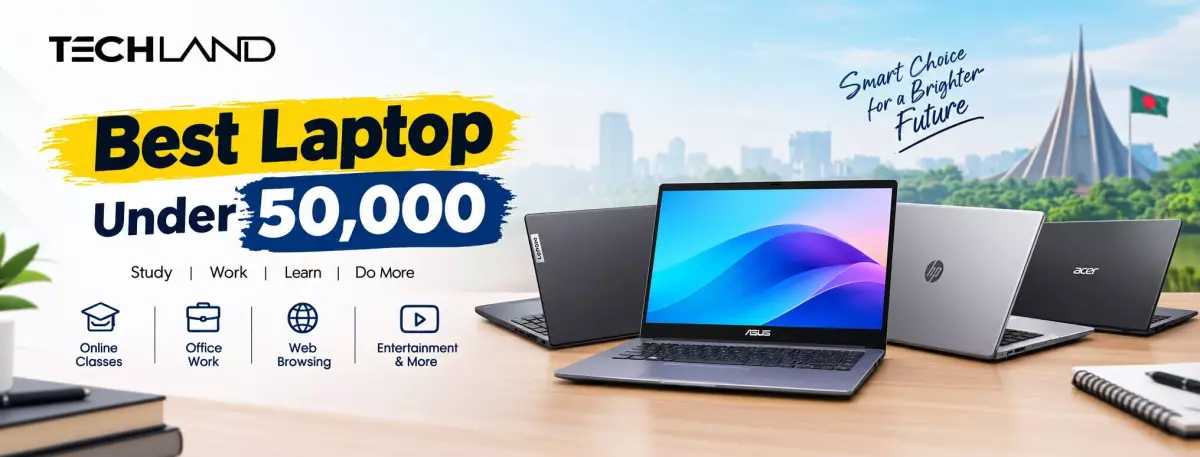
Best Laptop Under 50,000 in Bangladesh Buying Guide
Finding the best laptop under 50,000 in Bangladesh can be challenging. At this price range, you may not get a high-end gaming laptop or a powerful video-editing machine, but you can still find reliable options for studying, office work, browsing, online classes, Microsoft Office, video calls, and light freelancing.
The right laptop depends on your daily needs. Students usually need portability and battery life, while office users may prefer a larger Full HD display and a comfortable keyboard. Before buying, focus on the processor, RAM, storage, display quality, upgrade options, and warranty.
1. Lenovo IdeaPad Slim 1i 14IGL7
The Lenovo IdeaPad Slim 1i is one of the most affordable options for students and everyday users. It comes with an Intel Celeron N4020 processor, 8GB RAM, a 256GB NVMe SSD, and a 14-inch Full HD display.
The SSD makes the laptop feel faster during startup and application loading than models using traditional hard drives. Its compact design also makes it convenient for students who need to carry the laptop to school, college, or university.
Best for:
- Online classes
- Browsing and YouTube
- Microsoft Word and Excel
- Basic assignments
- Light office work
2. ASUS VivoBook E410MA
The ASUS VivoBook E410MA is a lightweight laptop designed for basic computing. It features an Intel Celeron N4020 processor, 4GB RAM, 256GB NVMe SSD, and a 14-inch display.
Its compact body and stylish design make it appealing to students and young professionals. The SSD provides faster performance for everyday applications, although the 4GB RAM may feel limited when many browser tabs and applications are open simultaneously.
Best for:
- Web browsing
- Online learning
- Typing and document work
- Video streaming
- Basic email and office tasks
3. ASUS ExpertBook BR1100FKA
The ASUS ExpertBook BR1100FKA is designed with portability and durability in mind. It has an Intel Celeron N4500 processor, 4GB RAM, 256GB NVMe SSD, and an 11.6-inch HD touchscreen display.
Its small size makes it easy to carry. Some configurations also include a 360-degree hinge and stylus support, which can be useful for note-taking, presentations, and classroom activities.
Best for:
- School and college students
- Online classes
- Note-taking
- Light office work
- Travel and mobile use
4. HP 255 G8
The HP 255 G8 is a stronger option for office work and multitasking. It comes with an AMD Ryzen 3 5300U processor and 8GB RAM. Some configurations include a 1TB hard drive, while others may offer SSD storage or an additional M.2 slot.
Compared with entry-level Celeron laptops, the Ryzen 3 processor provides better performance for documents, browsing, video calls, and light productivity work. The 15.6-inch Full HD display is also comfortable for users who prefer a larger screen.
Best for:
- Office applications
- Freelancing
- Web research
- Video conferencing
- Basic programming
- Large file storage
A hard drive offers more storage but is slower than an SSD. If possible, choose a configuration with an SSD or upgrade it later. The reported price is approximately BDT 48,500–52,000.
5. Acer Aspire Lite AL15-41
The Acer Aspire Lite AL15-41 is one of the better-performing choices near the 50,000 BDT budget. It includes an AMD Ryzen 3 5300U processor, 8GB RAM, a 512GB NVMe SSD, and a 15.6-inch Full HD display.
Its Ryzen processor and SSD combination makes it suitable for everyday multitasking. However, depending on the seller, the price may go slightly above BDT 50,000.
Best for:
- Freelancing
- Office work
- Online classes
- Light photo editing
- Browsing with multiple tabs
- Basic coding
If you can increase your budget slightly, this model may provide better long-term value than an entry-level Celeron laptop. The reported price range is around BDT 49,500–54,000.
What Can You Do with a Laptop Under 50,000?
A budget laptop in this range is generally suitable for:
- Microsoft Word, Excel, and PowerPoint
- Google Docs and online research
- Zoom and Google Meet classes
- YouTube and Netflix
- Email and social media
- Basic programming
- Freelancing tasks
- Light photo editing
- Browsing with a reasonable number of tabs
However, these laptops are usually not designed for:
- High-end gaming
- 4K video editing
- 3D rendering
- Professional graphic design
- Advanced machine learning
- Heavy multitasking
For gaming or professional video editing, you will usually need a higher budget and a laptop with a dedicated graphics card.
Important Specifications to Check
Processor
For basic work, Intel Celeron processors can be sufficient. However, an AMD Ryzen 3 or Intel Core i3 processor will usually provide better performance and longer usability.
RAM
Try to choose at least 8GB of RAM. A 4GB laptop may work for basic tasks but can become slow when multiple applications or browser tabs are open.
Storage
Choose an SSD instead of an HDD whenever possible. An SSD improves boot time, application loading, and overall system responsiveness. A 256GB SSD is enough for basic users, while 512GB is more comfortable for students and professionals.
Display
A Full HD display is preferable for reading documents, attending online classes, watching videos, and working for long periods. A 15.6-inch screen offers more workspace, while a 14-inch model is easier to carry.
Upgrade Options
Before buying, check whether the RAM and storage can be upgraded. An affordable laptop with upgradeable components may offer better long-term value than a slightly faster model that cannot be upgraded.
Warranty and After-Sales Service
Always check whether the laptop includes an official warranty. A lower price is not always better if the product has limited support or no reliable service option.
Which Laptop Should You Buy?
- Best for students: Lenovo IdeaPad Slim 1i
- Best compact laptop: ASUS ExpertBook BR1100FKA
- Best for basic office work: ASUS VivoBook E410MA
- Best for multitasking: HP 255 G8
- Best overall performance near 50,000 BDT: Acer Aspire Lite AL15-41
The best laptop under 50,000 in Bangladesh depends on your priorities. For basic study and browsing, the Lenovo IdeaPad Slim 1i and ASUS VivoBook E410MA are practical choices. If you need a compact, durable device, consider the ASUS ExpertBook BR1100FKA. For better performance, 8GB RAM, and smoother multitasking, the HP 255 G8 or Acer Aspire Lite AL15-41 may be a better investment. If possible, prioritize an SSD, a Full HD display, 8GB RAM, and an official warranty before choosing a laptop.
Discussion
0Leave a Comment
No comments yet
Be the first to share your thoughts
