
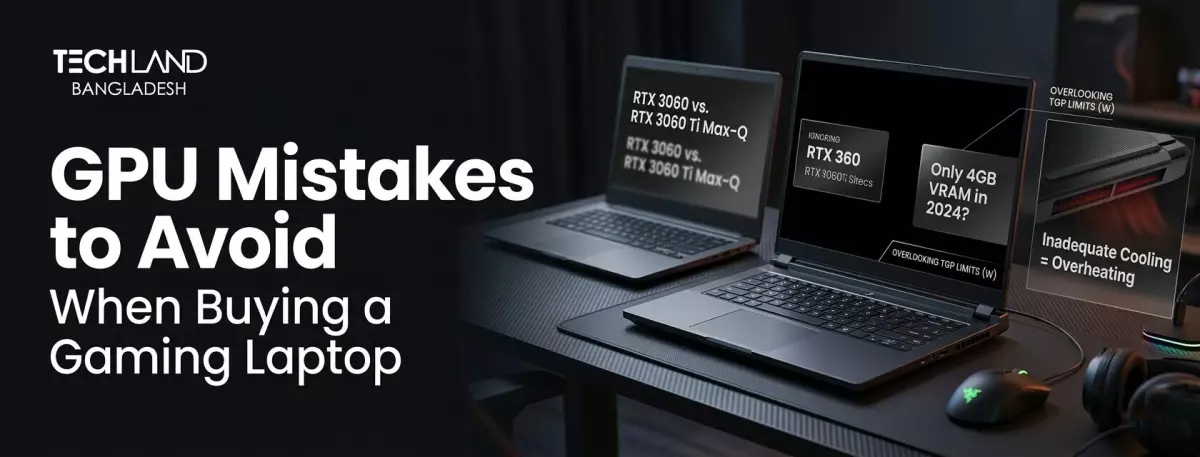
What GPU Mistakes Should You Avoid Before Buying a Gaming Laptop in 2026?
The graphics card is often the key to gaming laptop performance, but it’s also where most buyers make unnecessary mistakes. Make the wrong assumption about the GPU’s specs and you’ll end up with a laptop that can barely handle the settings you actually wanted to play at. What To Look For Before You Purchase.
Mistake 1: Check the GPU Properly
The same model of GPU may perform differently on different laptops. Manufacturers will often adjust power limits depending on the laptop's cooling design and chassis size, so two laptops with the same GPU name on paper could offer noticeably different real-world performance. This information is not listed prominently on most spec sheets, so it's easy to miss.
When you're shopping for a laptop, look up benchmark results for the exact model you're considering, not just the name of the GPU. A thinner laptop with a lower-power, limited GPU will perform much worse than a beefier gaming laptop with the same GPU running at full power.
Mistake 2: Ignoring VRAM Capacity
VRAM (video memory) is what determines how well a GPU can handle higher resolutions, texture-heavy games and future titles that will need more memory. The majority of buyers look at the GPU tier and don’t even consider VRAM. Even if the core GPU performance is strong on paper, an otherwise capable GPU coupled with too little VRAM can struggle with newer games at high settings.
Moderate VRAM is generally sufficient for most modern games at 1080p. If you’re looking at 1440p or above, or want your laptop to be capable for a few more years as games get more demanding, then look at VRAM capacity as well as the GPU tier itself.
Mistake 3: Not Checking the Cooling System
A powerful GPU is useless if the laptop can’t keep it cool under sustained load. Thermal throttling happens when a GPU heats up too much during a long gaming session and automatically downclocks itself to keep temperature in check. This is common on thin gaming laptops that are more focused on thinness than cooling potential.
Look for reviews that test sustained performance over long gaming sessions, not just short benchmark runs. A laptop that performs well for the first ten minutes but then throttles heavily will not deliver the experience promised in the spec sheet.
Mistake 4: Choosing the Wrong Display
A strong GPU with a mismatched display is a waste of some of what you’re paying for. If your GPU can output 120 frames per second but your display only refreshes at 60Hz, you’re not seeing that extra performance. In contrast, a high refresh rate display with a weak GPU cannot fully use its potential in demanding games.
Choose a monitor that can fully utilize your GPU tier. There is a real difference in smoothness for competitive games at high framerates with a higher refresh rate display.
Mistake 5: Check the Battery
Gaming laptops with strong GPUs have poor laptop battery life during real gaming, as the GPU consumes a lot of power when it is under load. Many buyers just look at the general battery life rating, not realizing that the number is for light tasks, not gaming. Most gaming laptops need to be plugged in while gaming to run at full capacity.
If you need portability without a charger nearby, check the battery life specifically during gaming benchmarks and not the general use rating printed on the box.
Mistake 6: Don't Buy More Than You Need
Not every buyer wants the most powerful GPU on the market. If you’re primarily gaming with esports titles like Valorant or CS2, a mid-range GPU can easily provide high frame rates without paying the premium for performance you won’t use. Save the higher-tier GPUs for buyers playing graphically demanding, open-world titles at higher settings.
And don’t just buy the most expensive one; consider what games you play most and get a GPU that fits those.
Choose the Right GPU
These GPU errors are about looking beyond the model name and focusing on the real specs: power limits, VRAM, cooling performance, match of display, and real gaming battery life. A laptop that gets these details right will act more like you expect when you’re actually playing.
TechLand BD team can walk you through GPU options across their gaming laptop lineup and help match one to the games you actually play.
FAQ
Does a higher-tier GPU always mean better gaming performance?
Not always. The same GPU can perform differently depending on power limits and cooling design in a specific laptop. It's worth checking benchmarks for the exact model rather than assuming based on the GPU name alone.
How much VRAM do I need for gaming in 2026?
For 1080p gaming, moderate VRAM covers most current titles comfortably. If you're aiming for 1440p or want your laptop to stay capable for newer, more demanding games over the next few years, higher VRAM is worth prioritizing.
Which shop in Bangladesh is good for finding a gaming laptop with the right GPU?
TechLand BD carries gaming laptops across different GPU tiers, and their team can help you match a model to the specific games you play, so you're not overpaying for performance you won't use.
Does TechLand BD offer warranty support on gaming laptops?
Yes, gaming laptops purchased through TechLand BD come with proper warranty support, which matters given how much strain gaming puts on a laptop's components over time.
Discussion
0Leave a Comment
No comments yet
Be the first to share your thoughts
